Microsoft reveals 5 long-overdue Windows 11 features arriving in 30 days, no AI required
Windows 11 is getting five useful features in 30 days, coming via the June optional update and July Patch Tuesday. Quieter Widgets, a 35-day update pause, Point-in-time Restore, Screen Tint for eye strain, and a big Bluetooth reliability sweep are all on the way. The post Microsoft reveals 5 long-overdue Windows 11 features arriving in 30 days, no AI required appeared first on Windows Latest
 admin
admin
Windows 11 has been getting a lot of improvements and features lately. In June alone, Microsoft shipped its biggest Patch Tuesday of 2026, with the Low Latency Profile CPU boost, Shared Audio for Bluetooth headsets, Multi-App Camera support, and a two-character Windows Search threshold. And Microsoft is not slowing down.
In the next 30 days, five more practically useful features are heading to all Windows 11 PCs. These are coming first as an optional update in June itself, and will then reach everyone as part of the July 2026 Patch Tuesday update.
None of them requires a Copilot+ PC, and none of them are related to any AI subscription. We are talking about things like rolling back your PC if something breaks, a smarter way to pause updates, a quieter Widgets experience, a screen overlay for eye strain, and a long-overdue reliability fix for Bluetooth. Here is a closer look at all five.
#1 Windows 11 Widgets stop being annoying by default
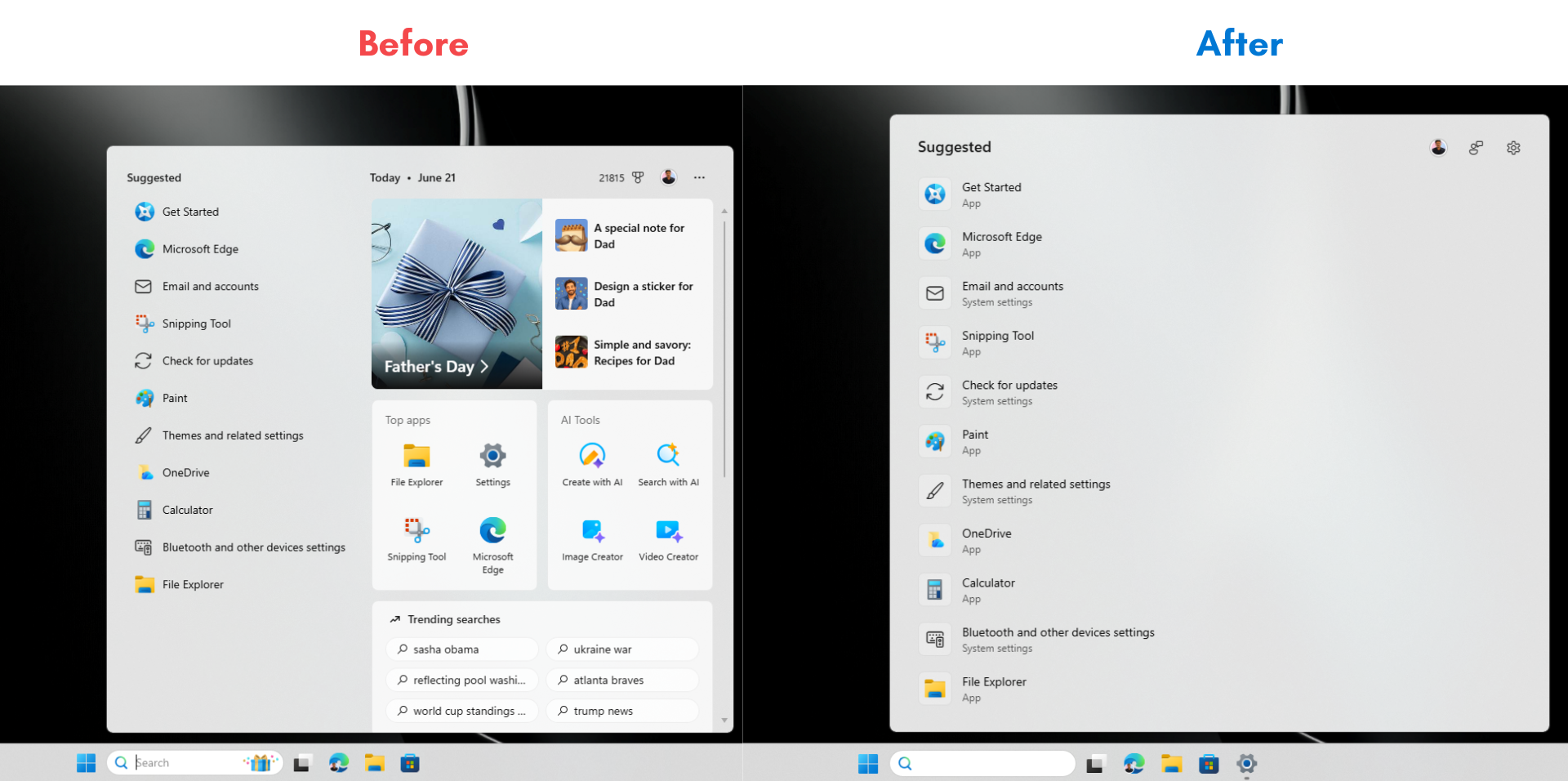
If you have ever accidentally hovered over the Widgets button on the taskbar and watched the entire board slide open while you were trying to click something else, you know the frustration. Microsoft is finally fixing that. After years of feedback, Widgets will no longer open on hover by default. The taskbar badge behavior is also being toned down, with notification counts now minimized by default and badge colors adjusted to match your Windows accent color.
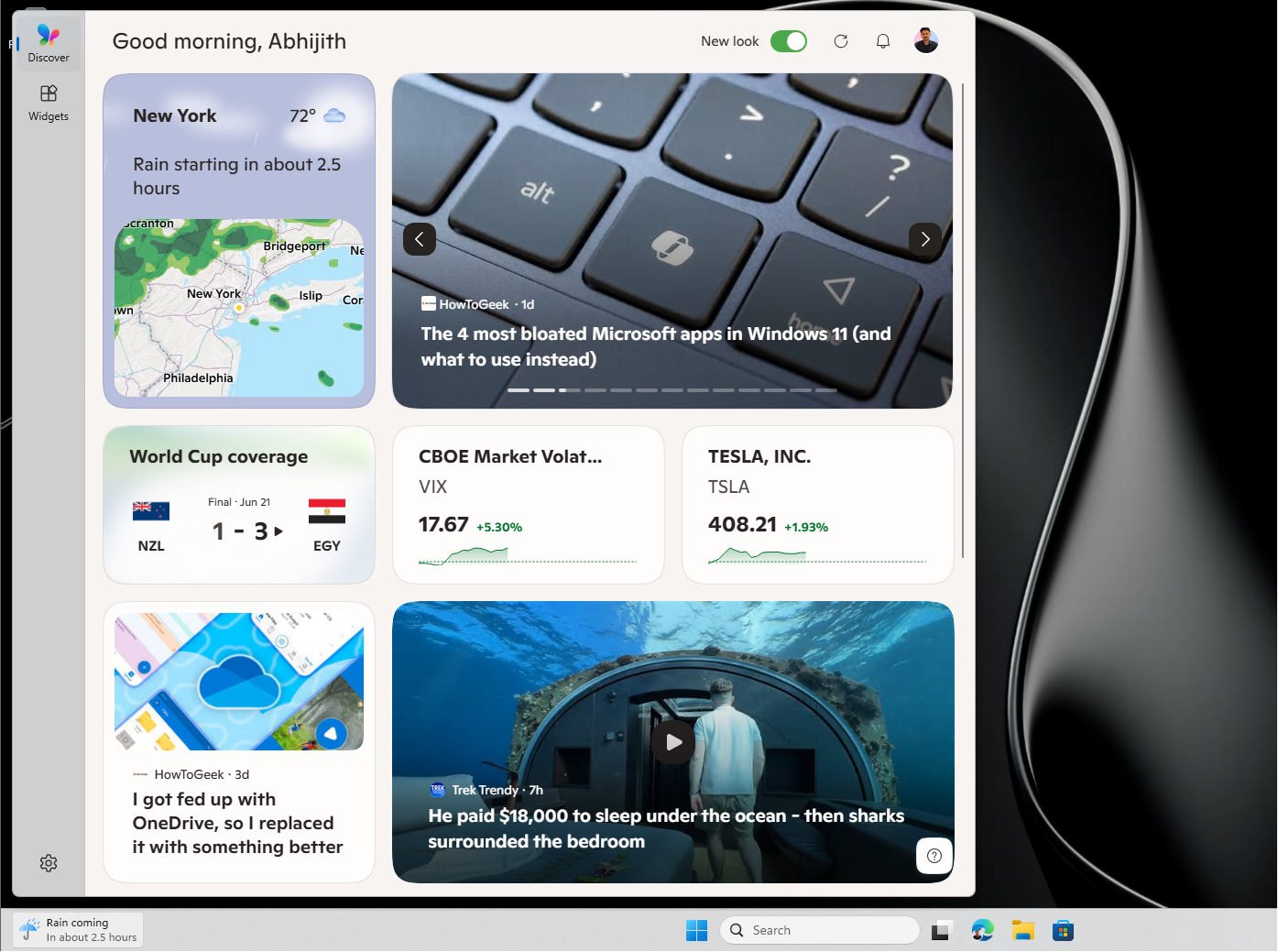
Apart from that, first-time users will land directly on the Widgets dashboard instead of the MSN feed. Microsoft has been working toward turning off the MSN feed and ads in Widgets by default, and this update takes that further by making the lock screen experience simpler, too. New users will see only a Weather widget on the lock screen. Currently, it is a crowded bunch of cards with mostly irrelevant information.
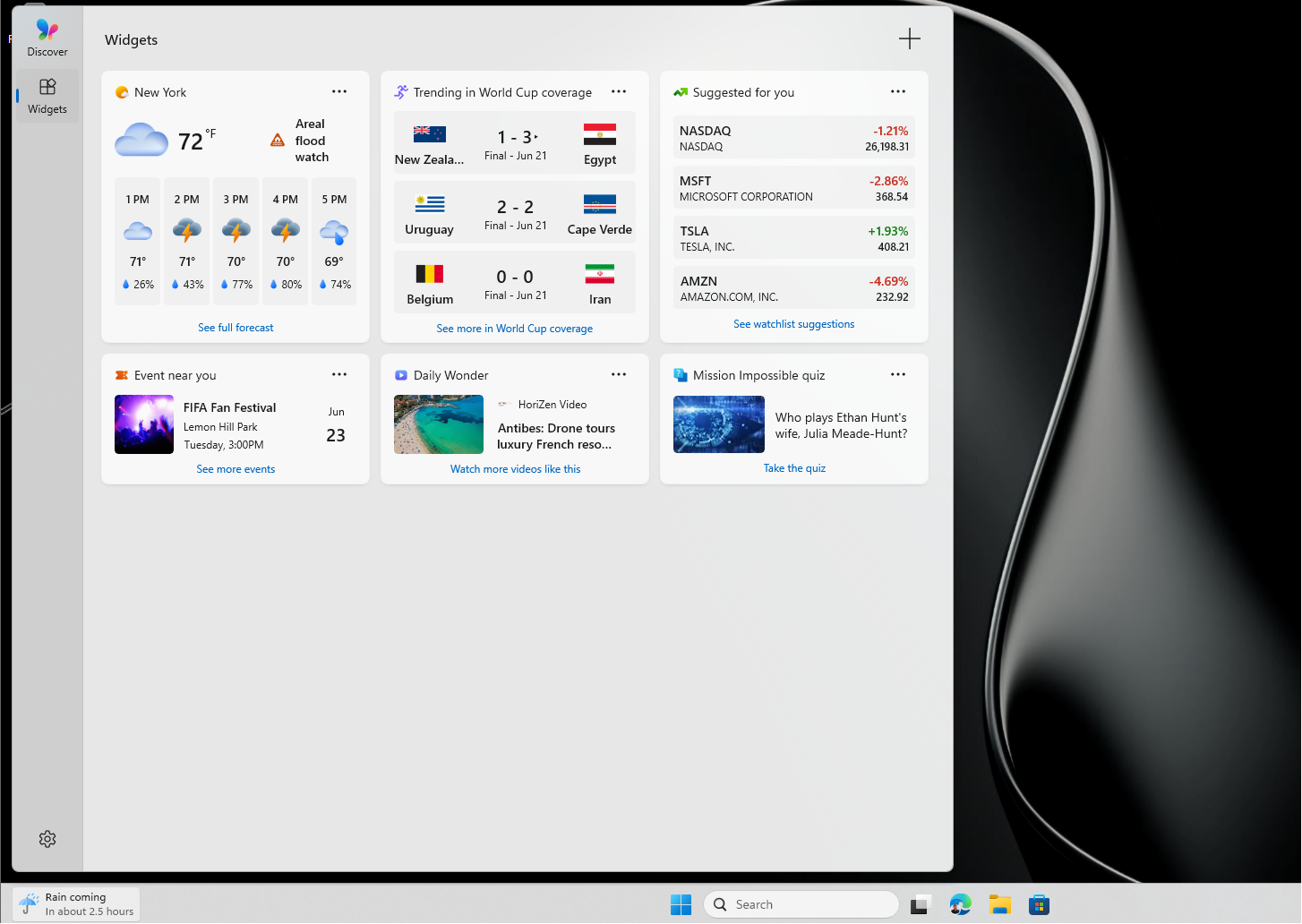
Dashboard icons will now show the count of unread alerts at a glance, and badges clear automatically once you leave a dashboard. You can still configure everything from within Widgets settings. Widgets in Windows 11 already open news links in the default browser instead of Edge, and now the full experience is turning quieter and less intrusive, which is what most users wanted from the beginning.
#2 Windows 11 lets you pause updates indefinitely with a new calendar
One of the most requested Windows features is finally arriving in a form that makes sense. Windows 11 is getting a calendar-based update pause system inside Settings, where you can pick an end date to pause updates for up to 35 days. You can also extend the pause by selecting a new end date and re-pause whenever you need to.
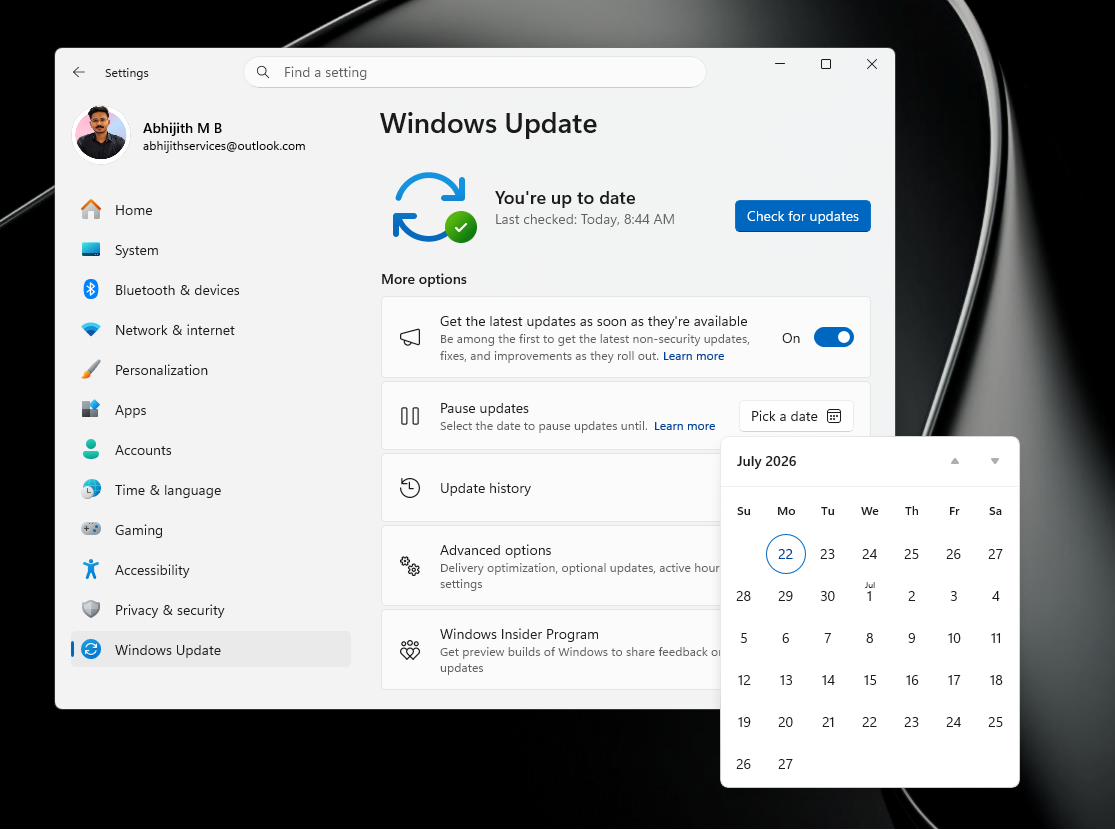
We have been covering this feature closely since Microsoft first started testing it. Microsoft confirmed earlier in 2026 that you can pause Windows 11 updates for as long as you want, ending the era of forced reboots. We also did a hands-on test of the new pause feature and found it to be a welcome departure from the five-week cap Windows 11 had before.
Back on April 13, we found that the company was planning to finally end forced Windows 11 updates with this approach. And recently, Microsoft itself said you should pause Windows 11 updates when you need to work, showing that Redmond has accepted users need more control. The new calendar picker in Windows Update is also a better UI.
#3 Point-in-time Restore rolls back your entire PC when things go wrong
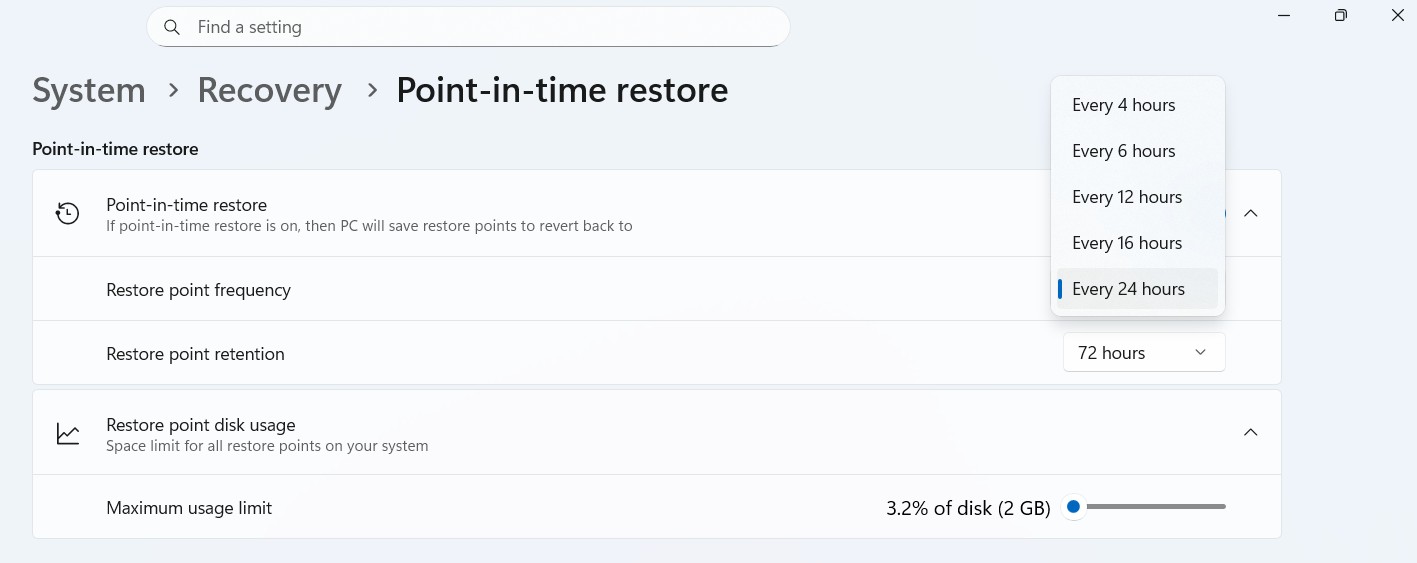
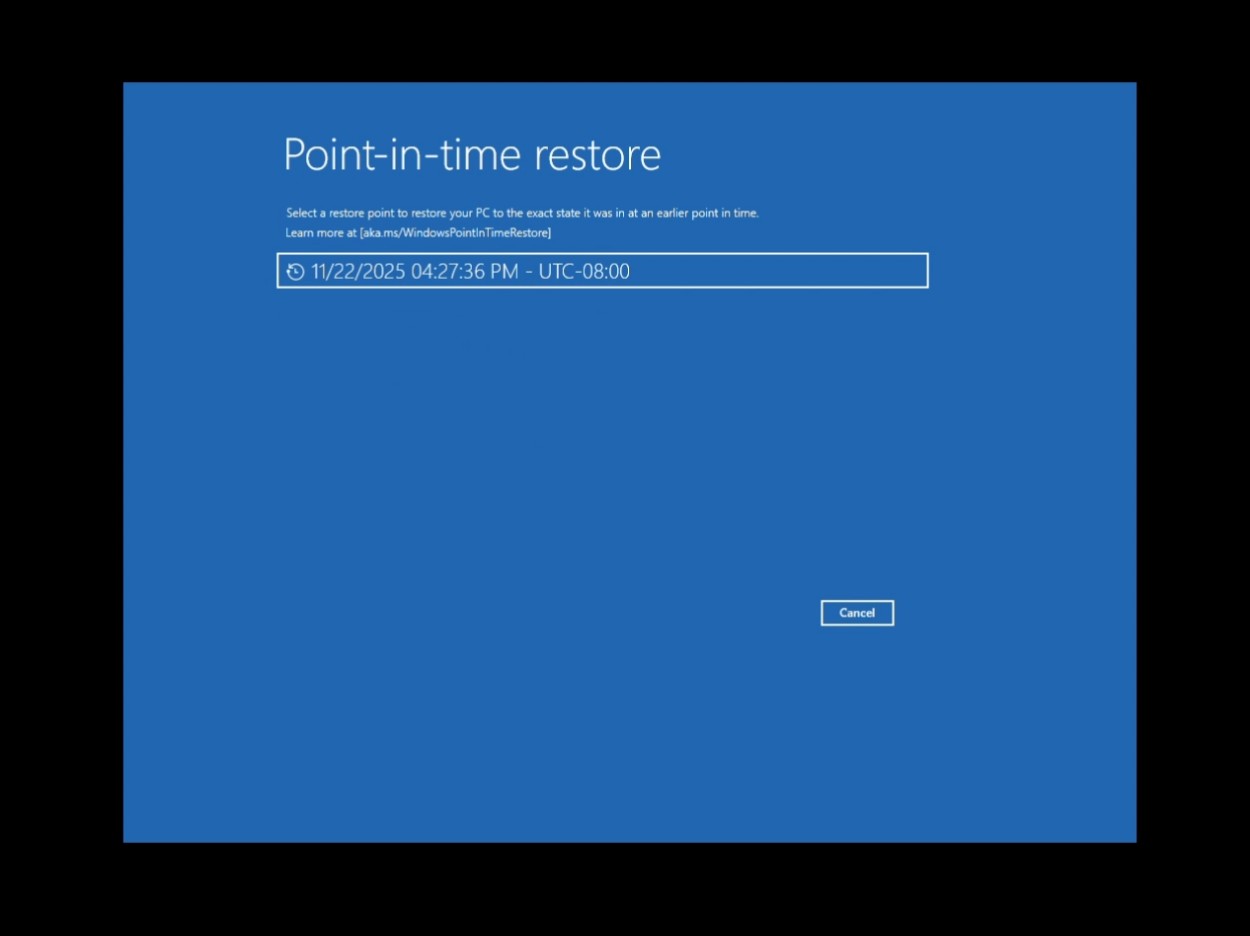
A bad Windows update, a misconfigured driver, or a broken app installation should not make you panic or lose hours to troubleshooting. Point-in-time Restore is a recovery feature Microsoft has been testing for months, and it is now making its way to all Windows 11 PCs. When turned on, Windows automatically creates restore points of your entire system, including apps, settings, and personal files, and keeps them for up to 72 hours. If something goes wrong, you can roll back to one of those snapshots from the recovery environment.
We tested Point-in-time Restore in Windows 11 back in November 2025 and called it one of the best features the OS has shipped without needing AI. Unlike the older System Restore, which only rolls back system files and registry settings, Point-in-time Restore captures everything on your OS volume, including your personal files. It uses Windows’ Volume Shadow Copy Service under the hood, creating block-level snapshots in the background without interrupting your work.
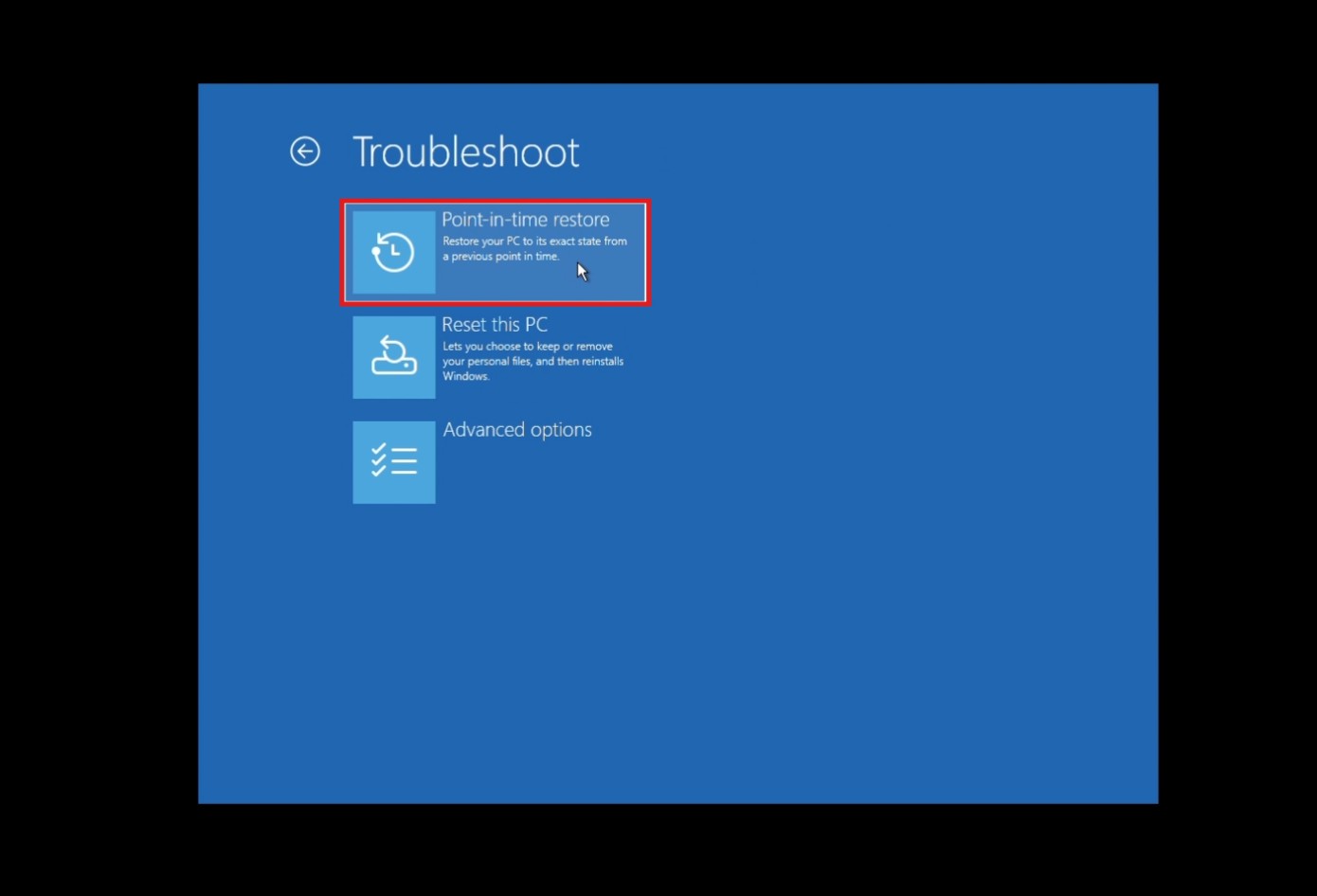
Once the feature comes to your PC, you can turn it on from Settings > System > Recovery. You can set how often restore points are created, anywhere from every 4 hours to every 24 hours, and how long they are kept. The feature works offline, so there is no dependency on the cloud, and of course, no subscription is required. For users who keep delaying Windows updates out of fear that something will break, this feature is the safety net that makes updating much less risky.
#4 Screen Tint gives users with eye strain a full-screen color overlay
For users who get headaches or eye strain after long hours on a PC, Windows 11 is adding a dedicated Screen Tint feature as part of a set of accessibility improvements. Screen Tint applies a full-screen color overlay to make the display easier to look at, and it’s different from Night Light, which adjusts just the color temperature to warm or cool. Screen Tint lets you control the color and intensity.
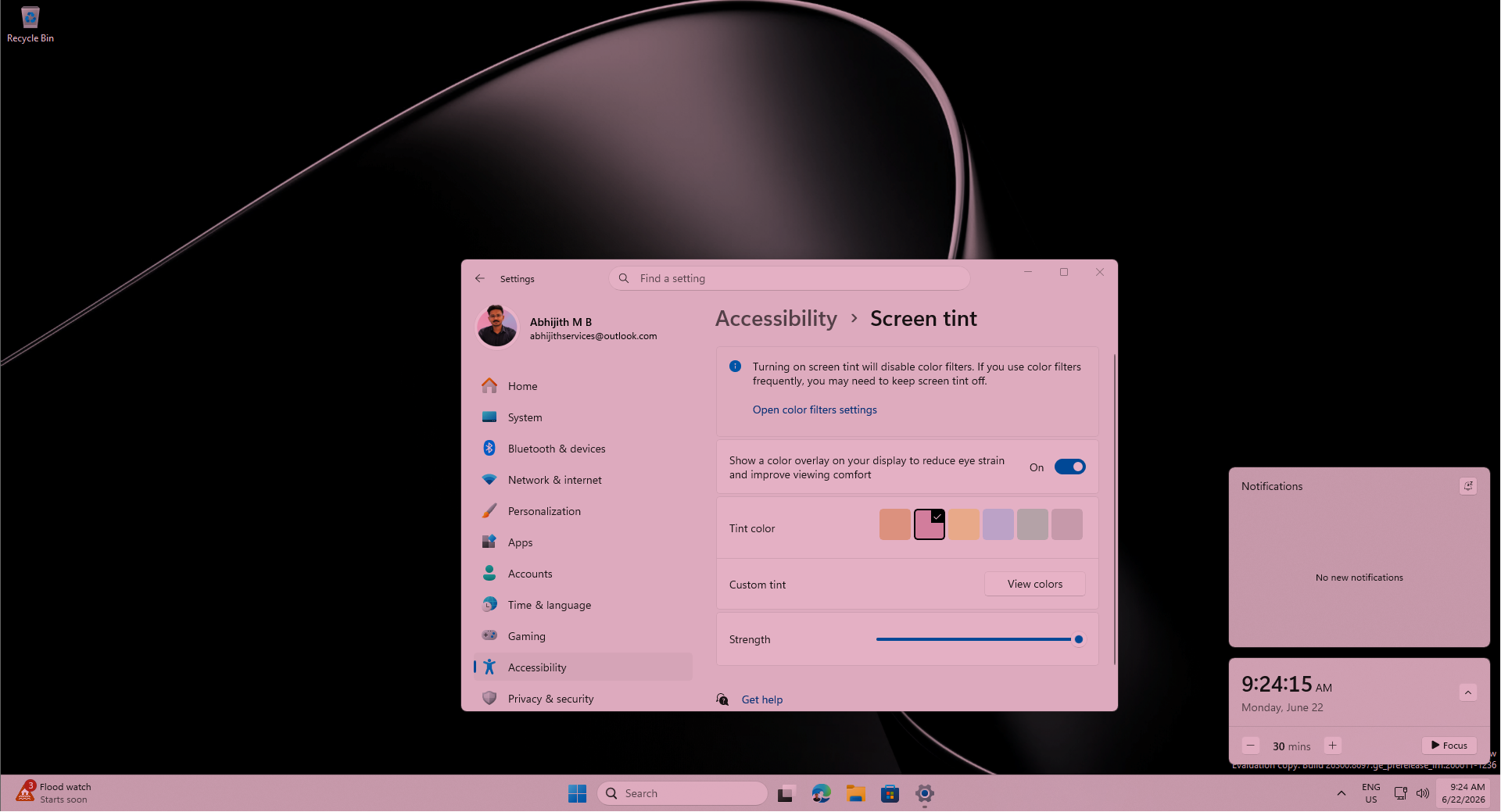
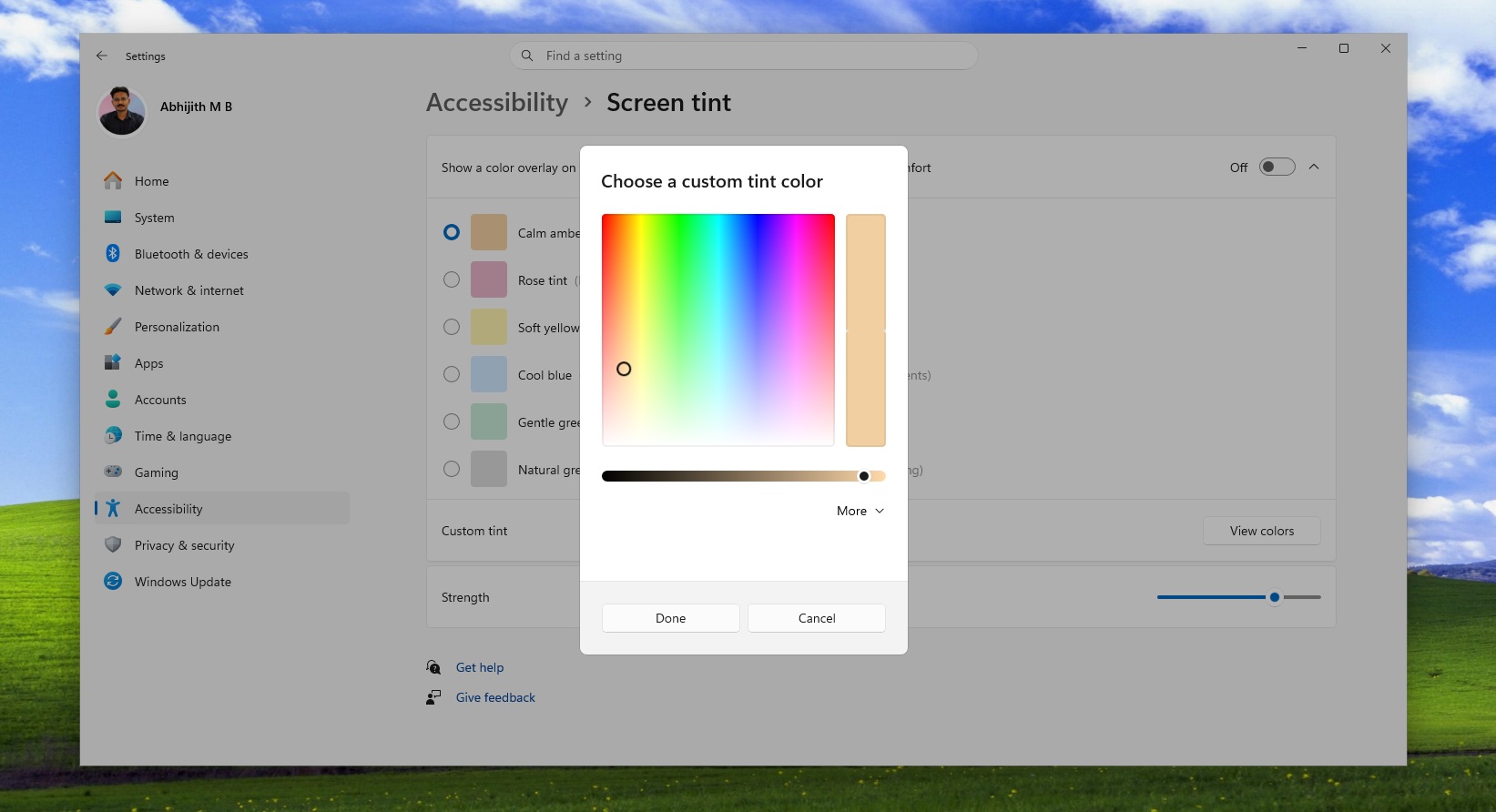
We covered Screen Tint when it first appeared in testing and found up to six preset colors, including Calm amber, which is similar to Night Light, along with blue, green and other tints. You can also use a custom color and adjust the intensity using a slider. People who wear tinted glasses to reduce photosensitivity or those sensitive to certain screen colors now have a software alternative built right into Windows, accessible from Settings > Accessibility.
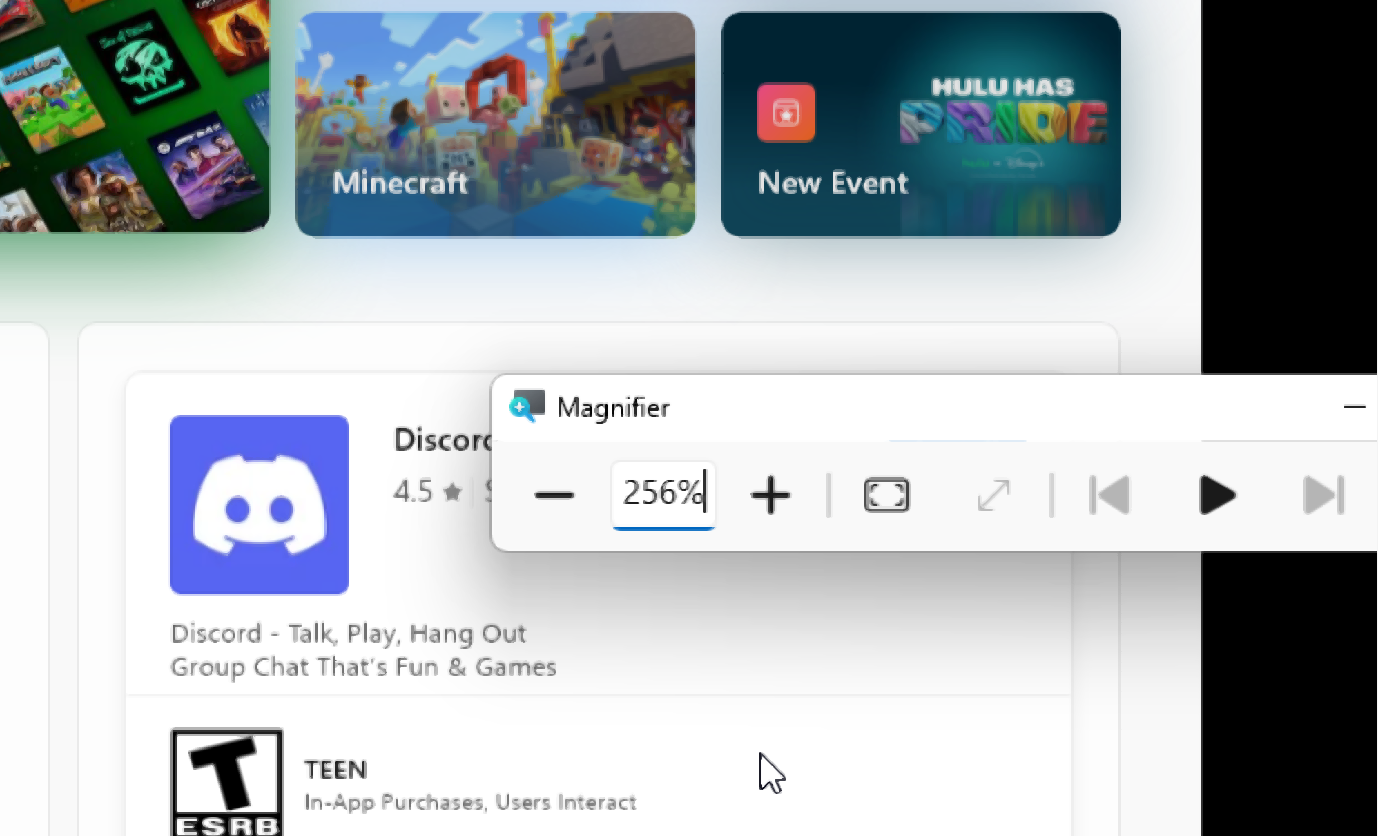
The same update also improves the Magnifier. You can now type a specific zoom percentage directly into the Magnifier window and adjust it in defined increments, rather than having to drag a slider. The Magnifier bar also now has a settings menu, so you can change zoom increments without having to go to Windows Settings each time. For users who rely on these accessibility tools every day, that extra trip to Settings was never necessary, and it is good to see Microsoft agree.
#5 Bluetooth gets the biggest reliability sweep Windows 11 has shipped at once
Bluetooth reliability on Windows has been a recurring complaint for years. Microsoft pledged to make Bluetooth, audio, camera, and USB connections stable on Windows 11 earlier in 2026, and this upcoming update is the most concentrated delivery of those promises yet. In one update, Bluetooth is getting improvements across microphone sync, device compatibility, audio stability, connection reliability, and device management. It is rare to see this many Bluetooth fixes simultaneously.
The biggest new addition is microphone mute sync. When you press the mute button on your Bluetooth headset, Windows will now keep the mute state in sync between the audio mixer and the Hands-Free Profile. Before this fix, the mute indicator on your headset could fall out of sync with what Windows 11 understood about the mic state, which caused confusion in calls and meetings. Intel separately addressed Wi-Fi and Bluetooth coexistence issues in April, but the mute sync problem was always on Microsoft’s side of the stack.
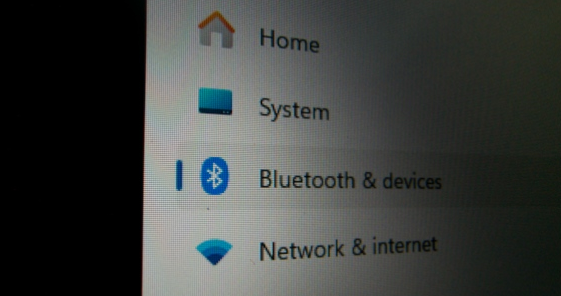
On the device compatibility front, AirPods will appear faster in pairing mode, and the Beats Studio Pro headphones get improved microphone reliability, making iPhone users a little happier with a Windows PC.
Bluetooth LE Audio streaming, which Windows 11 added to support features like Shared Audio for two headphones, recovers more reliably after a connection is lost and starts playing audio faster when the microphone is also in use. Classic Bluetooth audio devices reconnect more quickly after Windows resumes from hibernation.
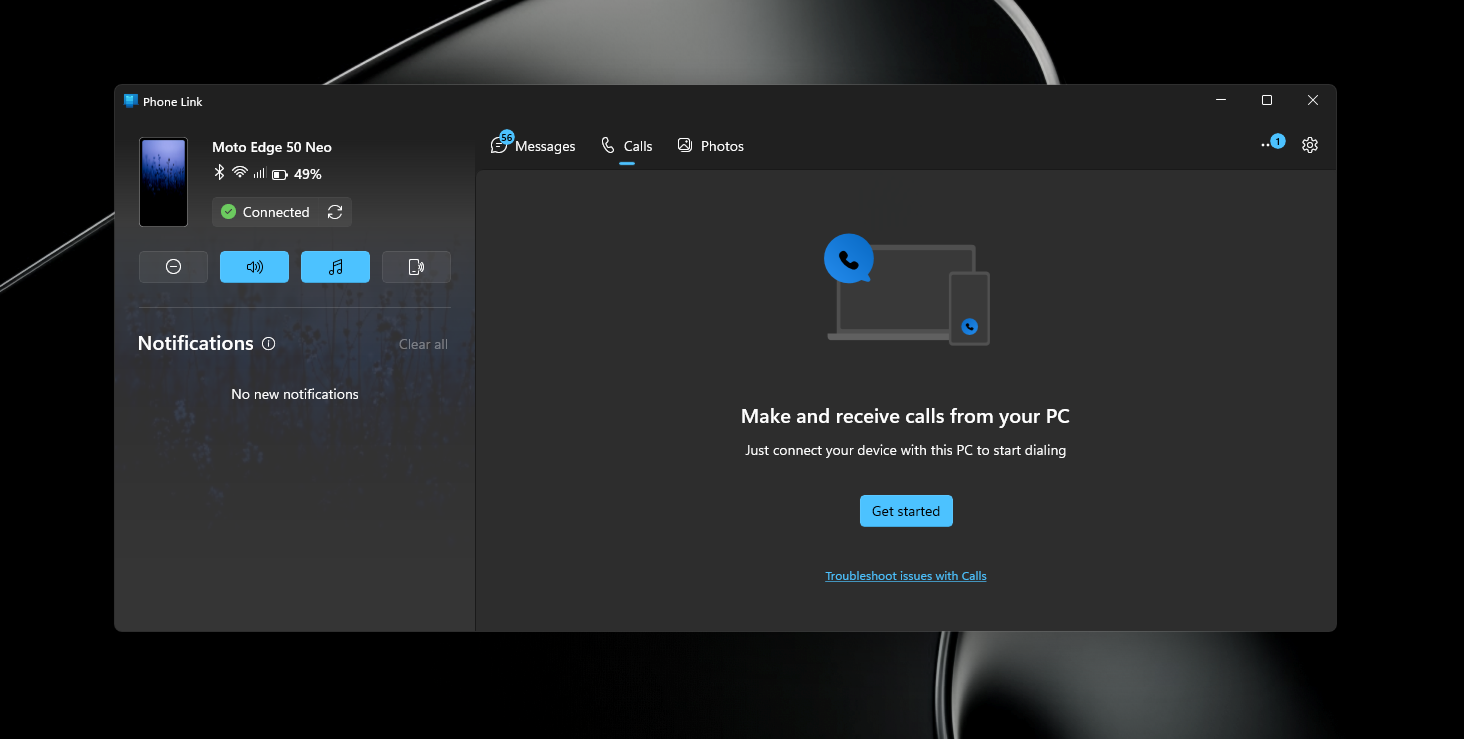
The Phone Link integration also gets smarter audio routing. When you dial an outgoing call from your phone paired to your PC, the audio now stays on the phone during ringing and only transfers to the PC after the call is answered on Windows. Previously, the audio could jump to the PC immediately, which was disorienting. Additionally, incoming calls from a paired phone will no longer ring on the PC when Do Not Disturb is turned on.
Other notable improvements coming to Windows 11 in a month
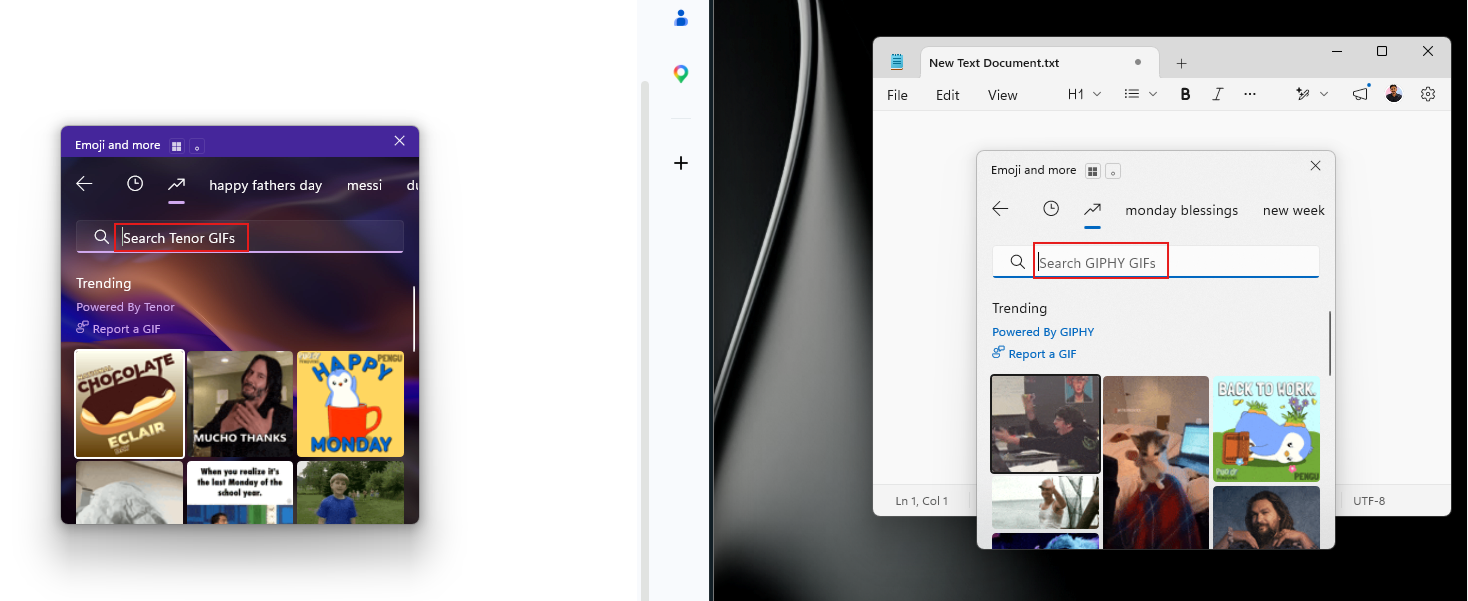
The emoji panel now uses GIPHY as the GIF provider after Tenor was deprecated, which means smoother GIF browsing when you press Windows key + period.
The address bar in File Explorer now handles paths with double backslashes and quotation marks, which fixes compatibility issues that tripped up power users and developers who copy-pasted paths.
The printer setup experience also gets a useful upgrade, with new printer installations defaulting to Internet Printing Protocol instead of older driver-based methods, simplifying setup for most users.
Voice access and voice typing on Copilot+ PCs get support for French, German, and Spanish, with real-time grammar correction, punctuation, and recognition error fixes as you speak. The touchpad right-click zone size is now customizable, with small, medium, and large options, which is handy on laptops where the bottom-right corner triggers right-clicks when you did not intend to.
What Windows Insiders are testing that has not reached your PC yet
While all five features above are heading to regular PCs through the upcoming June optional update and the July Patch Tuesday, Windows Insiders are testing an even longer list of changes that are still months away from general availability.
The most talked-about Insider exclusive right now is the movable taskbar, which lets you pin the taskbar to the top, left, or right side of the screen for the first time since Windows 11 launched. We tested it and also compared the Windows 11 taskbar with the Windows 10 taskbar, and the results are surprising, but Microsoft is still working through bugs before it rolls out to everyone.
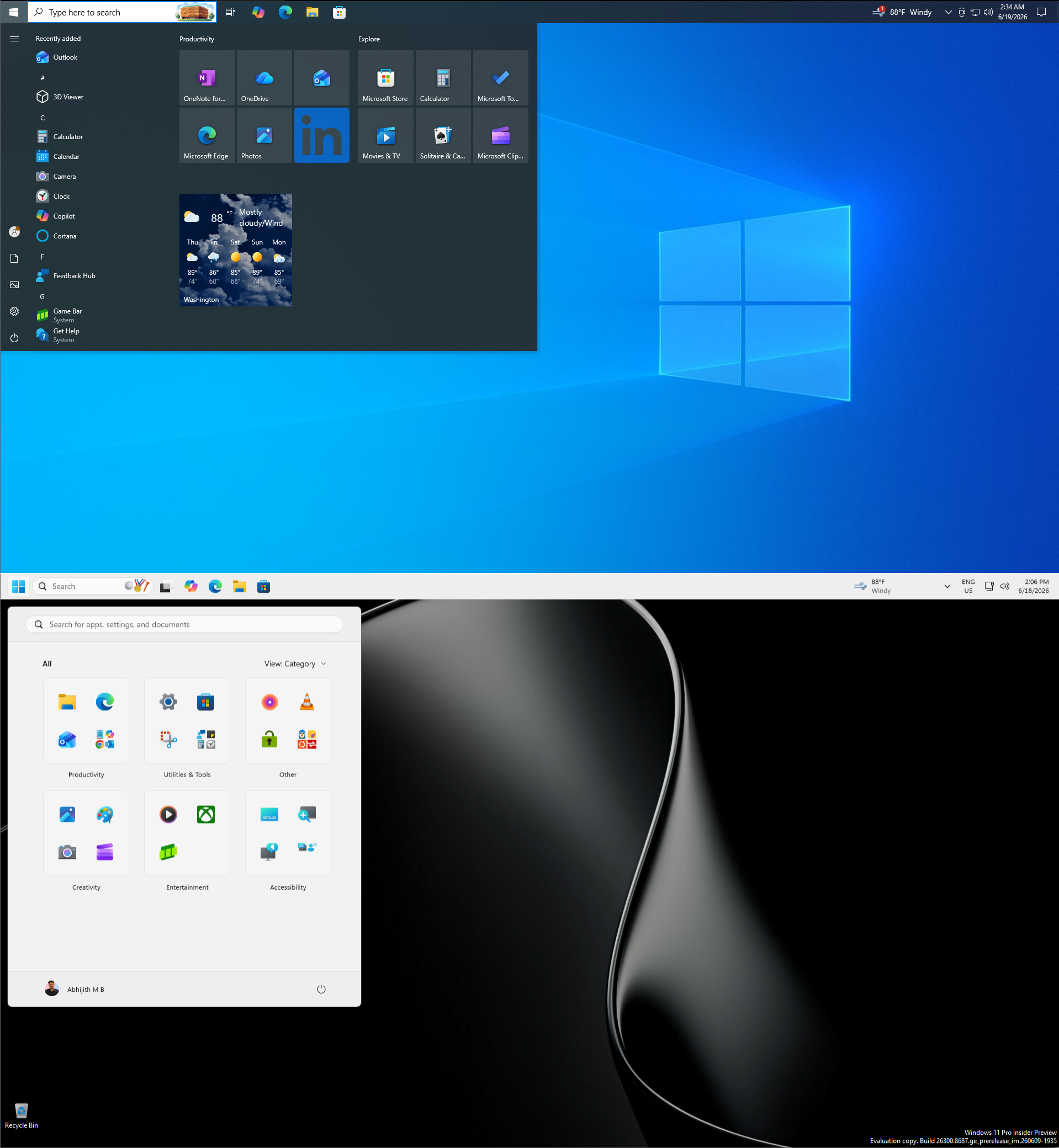
There is also the redesigned Start menu with full customization controls that Insiders in the Experimental channel are testing, along with improvements to Windows Search that handle typos and partial words for apps, and a toggle to remove Bing results from Search.
Here is a longer list of 18 confirmed features coming to Windows 11 in 2026, and if the pace of the last few months is any indication, the list of things coming to regular PCs is only going to grow.
The post Microsoft reveals 5 long-overdue Windows 11 features arriving in 30 days, no AI required appeared first on Windows Latest