Task Manager creator defended Windows 11’s GDID tracking, and got community noted on X
The Windows Latest GDID story reached Linus Tech Tips WAN Show, and Task Manager creator Dave Plummer jumped in to correct it, except he was explaining GUIDs, not GDID. X community notes caught the mixup fast. The post Task Manager creator defended Windows 11’s GDID tracking, and got community noted on X appeared first on Windows Latest
 admin
admin
Windows Latest had the most detailed coverage about Microsoft’s Global Device Identifier, or GDID that helped the FBI trace alleged Scattered Spider hacker Peter Stokes across three countries despite his VPN, and the story got picked up everywhere, including a clip, on Linus Tech Tips’ WAN Show.
Dave Plummer, the ex-Microsoft engineer behind Task Manager, Windows Pinball, and Product Activation, quote-reposted a clip of that discussion trying to defend his former employer with a technical rebuttal. X’s community notes disagreed with him, and so did the facts. Here’s what happened, and what it tells us about GDID.
Microsoft’s GDID is so obscure that even ex-employees may confuse it
The WAN Show clip that started this covered our GDID reporting, with Linus Sebastian calling the tracking “a serious problem” and co-host Luke Lafreniere talking through their own move toward Linux. X user Orwell Day clipped the segment with a caption that Microsoft “admitted to using a global unique device identifier to help track a user across 3 countries, negating any value of using a VPN if you have a Windows machine.”
Plummer quote posted that clip with a lengthy technical denial, opening with “As usual, Linus brings you the drama for the clicks, and then I’ve got to explain it for free.”
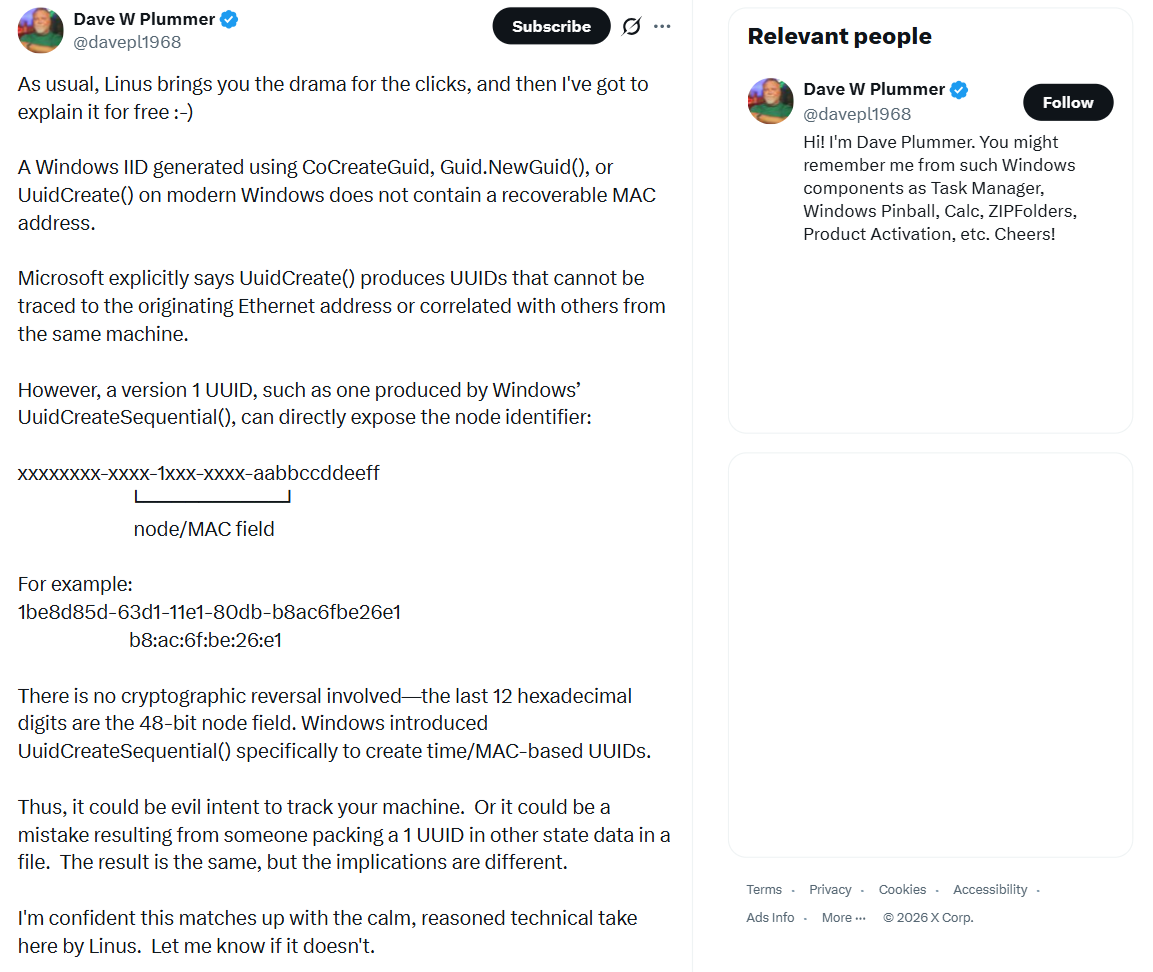
His argument centered on GUIDs, not GDID. He explained that a Windows Identifier generated with CoCreateGuid, Guid.NewGuid(), or UuidCreate() on modern Windows can’t be traced back to a MAC address, since Microsoft deliberately removed that capability.
He contrasted this with UuidCreateSequential(), which produces version 1 UUIDs that do embed a MAC address in their last 12 characters. He even broke down the format with an example, 1be8d85d-63d1-11e1-80db-b8ac6fbe26e1, pointing to the b8:ac:6f:be:26:e1 segment as the exposed node ID.
Of course, we know Dave Plummer to create useful products, and we even tested his recent wonder of a 2.5KB Notepad alternative called RetroPad.
And as expected, every claim he made checks out on its own. Microsoft’s documentation for UuidCreateSequential confirms UuidCreate was changed specifically so it no longer uses a MAC address, and that the sequential variant exists precisely to bring MAC-based generation back for cases that need it. Version 1 UUIDs really do carry a 48-bit node identifier that can be a real MAC address, and nothing in that explanation was wrong.
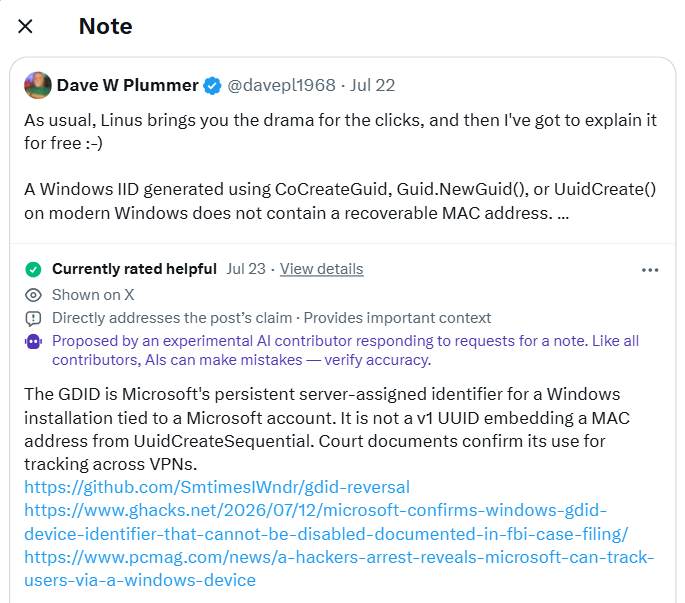
However, it also wasn’t the story. GDID has nothing to do with GUIDs or MAC addresses. Community notes on X caught it: “The identifier discussed is Microsoft’s GDID (format g: followed by decimal number), a server-assigned account-linked ID, not a MAC-based version 1 UUID,” citing Microsoft’s Azure Monitor documentation and an independent GDID explanation on GitHub.
Some commenters also had the technical expertise to curb the confusion: “The tracking is about creating a unique ID (the GID) that then acts as a unique JOIN key across different activities that can be correlated from the internet, because the GID/IP phones home to Microsoft and is logged.”
Plummer corrected himself. His follow-up: “I’m not wrong in the above, but I’m still talking out of butt needlessly because he’s actually talking about GDID whereas I’m talking about how to uniquely identify a machine via a GUID. I should actually watch the WAN show instead of inferring from a clip summary, and that’s on me!” He added he was about to community note his own post.

Interestingly, the community note was “proposed by an experimental AI contributor,” per X’s disclosure, not a verified human fact checker.
GDID and GUID are not the same thing
Both are identifiers, both show up in Windows internals, and GDID even gets rendered as a long number that looks GUID-adjacent.
What is GUID?
A GUID, or UUID in the general computing term, is a 128-bit value your PC generates locally, offline, using an algorithm. Windows doesn’t need to contact Microsoft to hand you one.
Depending on which function creates it, a GUID might be pure random noise, might be derived from a timestamp, or, in the sequential version Plummer described, might really embed a MAC address.
Use of GUID
Software uses GUIDs constantly, for file identifiers, database keys, COM object registration, and plenty else, and most of them say nothing about which physical machine created them.
What is GDID?
The complaint against Stokes quotes a Microsoft representative describing it as “a persistent, device-level identifier designed to uniquely identify an installation of a Windows operating system on a device, either a physical device (e.g., a mobile phone or laptop) or virtual machine, across certain Microsoft services and scenarios.”
GDID is a 64-bit Device PUID, a Passport Unique ID, assigned by Microsoft’s own login servers the moment Windows provisions itself against a Microsoft Account, not generated locally. The value that showed up in the Stokes complaint, g:6755467234350028, converts to a 64-bit number in hex, not the 128-bit format a GUID would use. It’s also formatted with a lowercase g and a colon, not the dashed hex blocks a GUID uses.
| GUID / UUID | GDID |
|---|---|
| 128-bit value | 64-bit value |
| Generated locally by the device | Assigned by Microsoft’s servers |
| Format: dashed hex blocks, e.g. 1be8d85d-63d1-11e1-80db-b8ac6fbe26e1 | Format: g: followed by a decimal number |
| Some versions can embed a real MAC address | Not derived from hardware |
| Used for files, database keys, COM objects, and general software identifiers | Used to identify a specific Windows installation across Microsoft services |
| No account required to generate one | Minted when a device signs into a Microsoft Account |
| Doesn’t need internet access to create | Requires contacting login.live.com |
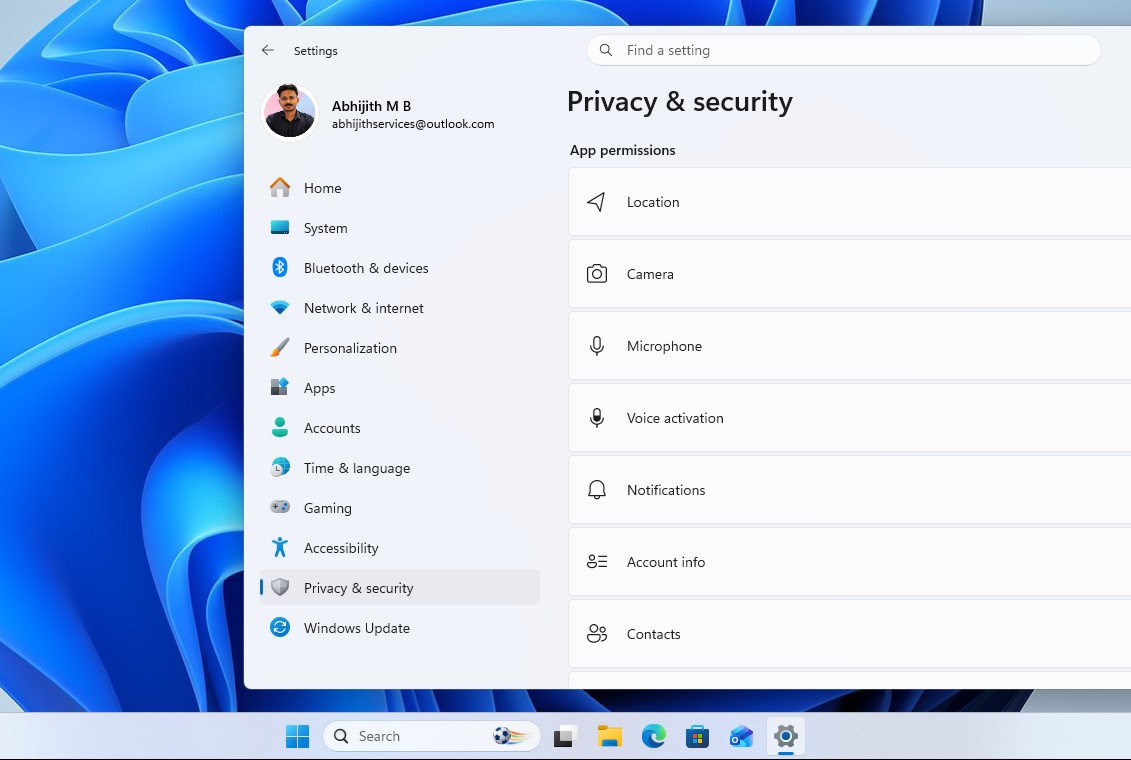
The chain behind GDID runs through a specific set of Windows services. wlidsvc, the Microsoft Account service, talks to login.live.com and gets a Device PUID back in the server’s response, and the value gets written to the registry in plain text, at HKCU\SOFTWARE\Microsoft\IdentityCRL\ExtendedProperties.
The Connected Devices Platform, the background service that powers Phone Link and Nearby Share, reads it and registers it into Microsoft’s Device Directory Service. Delivery Optimization then reports that value back to Microsoft as UCDOStatus.GlobalDeviceId whenever a PC shares or downloads update data peer to peer.
How GDID caught Stokes
We’ve already covered the full story, so here’s the short version.
Investigators traced a May 2025 attack on a US jewelry retailer to an ngrok account created from a VPN proxy address, which was a dead end on its own. Microsoft’s records showed a device carrying GDID g:6755467234350028 visited the ngrok signup page at the exact minute the account was created, then visited the retailer’s own website three hours later, through the same proxy, giving the FBI a device to follow instead of an IP that could rotate.
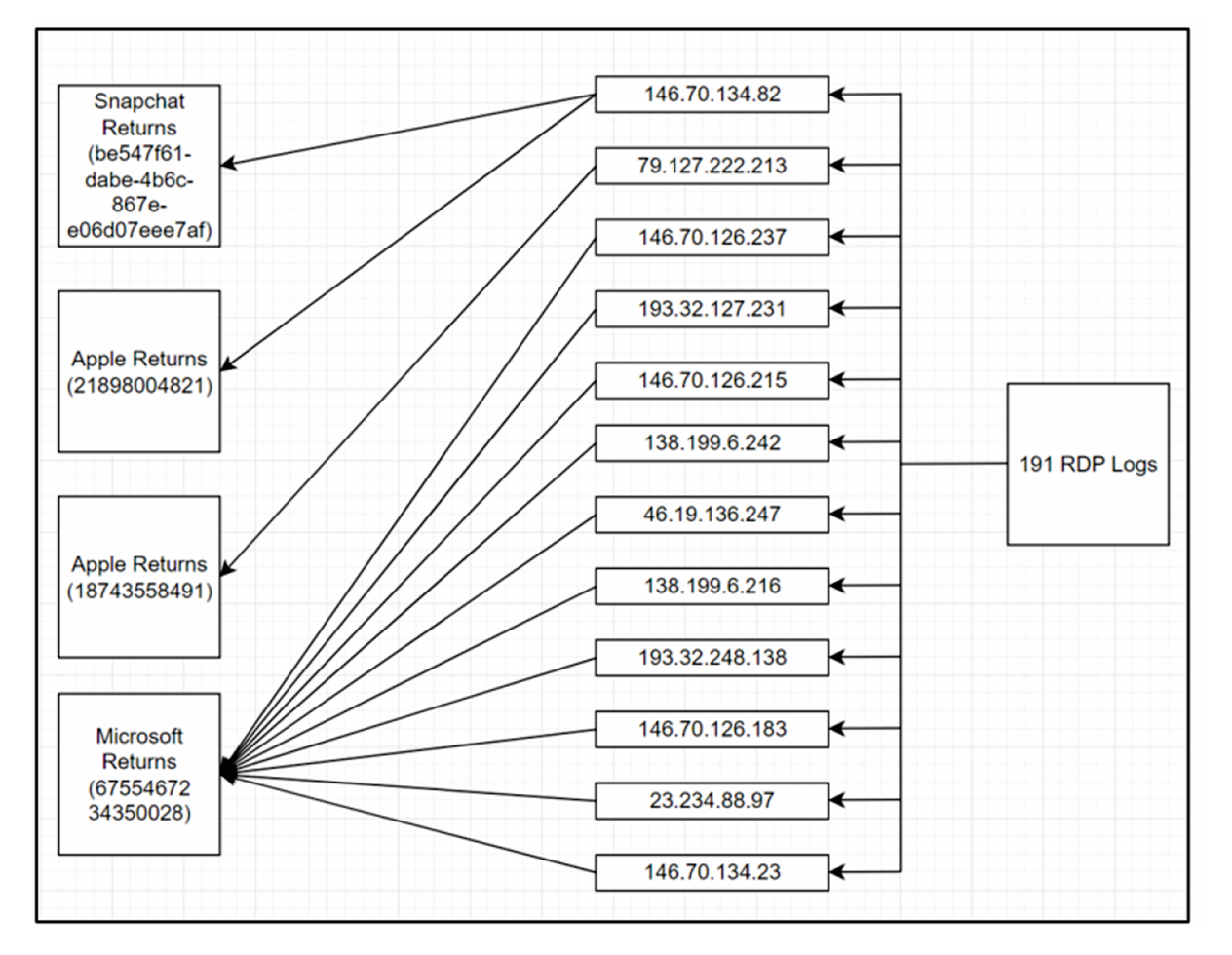
From there, agents matched that GDID’s IP history against known logins to Stokes’ Snapchat, Apple, and Facebook accounts across Estonia, New York, Thailand, and a Ubisoft game login, over roughly eight months. No single data point proved anything. But “humans” noticed the pattern across these four countries, and found him.
Can Microsoft’s GDID be turned off in Windows?
Independent testing by French tech blog Korben found that disabling Windows’ standard telemetry toggles doesn’t stop a GDID from being reported.
On a test VM with telemetry services already stopped, the GDID was still there in the registry, readable, with the reporting services running at full speed. That’s because GDID doesn’t travel through the diagnostic telemetry pipeline targeted by most privacy settings. It goes out through the Connected Devices Platform and Delivery Optimization instead, which is also why deleting the registry key does nothing.
The Store re-downloads the same value from Microsoft within seconds, because the number wasn’t really stored on the machine to begin with. It’s stored at Microsoft, and your PC is just fetching a copy.
Why Windows has GDID in the first place
Microsoft didn’t build GDID to track hackers. It goes back to Windows Product Activation, the anti-piracy system Microsoft introduced with Windows XP in 2001, which binds a license to a specific machine configuration and checks it against Microsoft’s servers.
GDID is the modern descendant of that idea, extended to cover Microsoft Store purchases, UWP app licensing, and Delivery Optimization’s peer-to-peer update sharing.
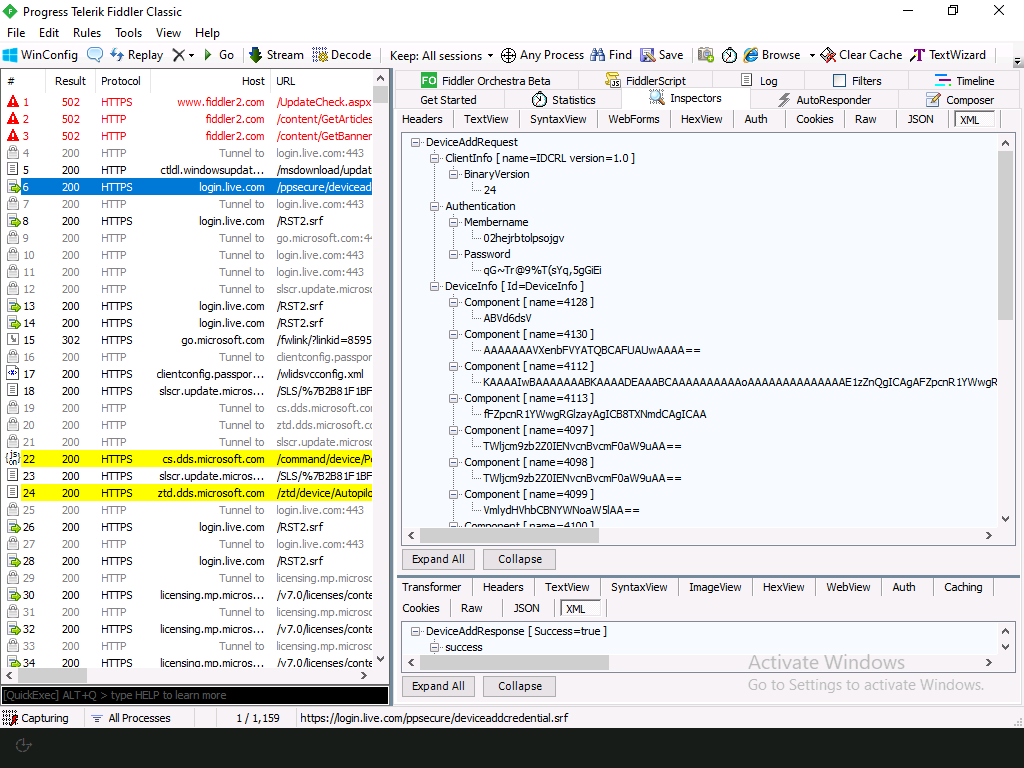
Massgrave, the group behind the popular Microsoft Activation Scripts project, explained on X: Windows setup sends hardware information to Microsoft during installation and gets identifiers back, the same tokens later used for Store access and activation checks. Their conclusion states: “It’s impossible to prevent Windows from getting a GDID without breaking activation and UWP app[s].”
Anyone who’s lost a Windows license after swapping a motherboard has already run into a smaller version of this system.
Note that this is a legitimate technical reason for a persistent device identifier to exist. However, it doesn’t explain why Microsoft kept it out of any consumer-facing documentation, or why there’s no way to see or reset it from Settings the way Apple and Google let you manage their own device identifiers.
Does macOS have anything like GDID?
Yes and no. macOS uses similar persistent identifiers for licensing, activation, and ecosystem syncing, but it handles them differently than Windows. Every Mac has a fixed, permanent Hardware UUID generated directly from the logic board, which Apple links to your Apple Account on their servers for features like device management, Activation Lock, and push services.
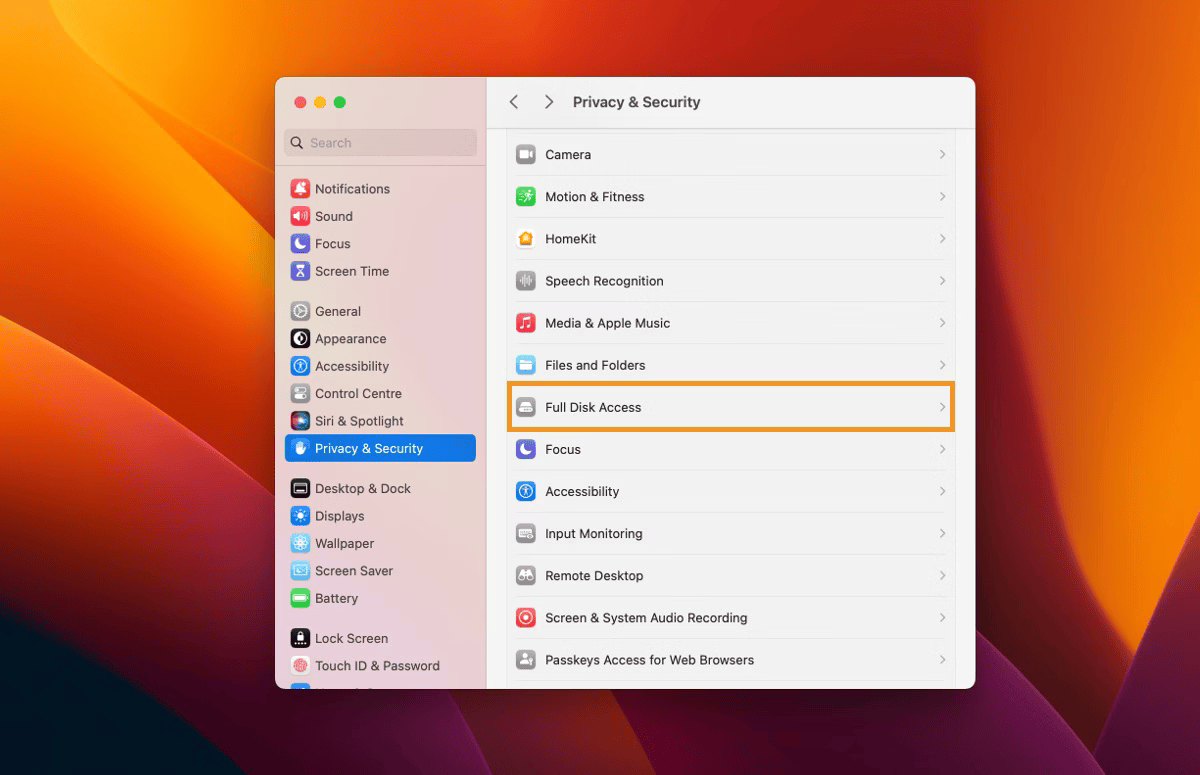
However, unlike Microsoft’s server-assigned GDID, Apple strictly isolates this hardware identifier from third-party developers to prevent cross-app tracking. For background telemetry and privacy-sensitive features, macOS uses randomized, ephemeral tokens instead of a persistent, account-linked ID.
An X thread from a user called IT Guy claimed Apple has direct equivalents, listing a Hardware UUID linked to the Mac’s logic board, a “Destination Signaling Identifier” called DSID linked to an Apple ID, and the resettable IDFA used for ad tracking.
The Mac Hardware UUID is generated from the logic board, and it does survive OS reinstalls. Apple Community threads about the UUID changing only after a logic board replacement confirm it’s hardware-bound. The IDFA is resettable, and Apple has required an explicit App Tracking Transparency prompt before apps can read it since iOS 14.5.
DSID is actually “Directory Services Identifier”, and it’s arguably a closer match to GDID. Security researchers at Mysk found the DSID travels with App Store analytics data even when a user has analytics sharing turned off, and it uniquely links that activity back to a specific iCloud account, including name and email. Apple’s documentation confirms DSID also supports Instant Hotspot’s device discovery between devices signed into the same iCloud account.
| Microsoft GDID | Apple equivalent | |
|---|---|---|
| What it’s called | Global Device ID | Hardware UUID / DSID |
| Where it comes from | Assigned by Microsoft’s servers | Generated from the logic board |
| Linked to your account | Yes, Microsoft Account | Yes, Apple Account / iCloud |
| Survives a reinstall | No, new GDID is issued | Yes, Hardware UUID stays the same |
| Open to third-party apps | Not restricted the same way | Isolated from third-party developers |
| Background telemetry ID | Same persistent GDID | Randomized, ephemeral tokens |
| Closest tracking match | GDID itself | DSID, tied to iCloud, name, and email |
| Ad tracking ID | No direct equivalent | IDFA, resettable |
| User-facing reset option | None | None for Hardware UUID or DSID |
| Law enforcement disclosure policy | Not published | Not published |
Neither company publishes a policy on when it proactively hands identifiers like these to law enforcement, and this negligence applies just as much to Apple as it does to Microsoft.
Windows spent 2026 trying to earn back trust, and everything came tumbling down with GDID
Windows 11 spent 2025 absorbing backlash over Recall’s unencrypted screenshot capture and Copilot buttons wedged into Notepad, Paint, and File Explorer, criticism serious enough that the company publicly walked back on Copilot.
Windows president Pavan Davuluri published a March 2026 commitment to Windows quality, and by May, Windows Insider Program lead Marcus Ash was publishing progress reports showing the company was following through, at least on performance and reliability.
But as it turns out, Windows can get faster and less pushy about AI while still shipping a persistent, undisclosed identifier that links browsing activity back to a specific machine and account, with no visible toggle and no public policy on when Microsoft hands that data to investigators.
Fixing File Explorer performance and disclosing a tracking mechanism are different kinds of promises, and Microsoft has only been making progress on one of them.
The post Task Manager creator defended Windows 11’s GDID tracking, and got community noted on X appeared first on Windows Latest