Microsft says Outlook Classic is getting always-visible Copilot to “help you stay in flow”
Microsoft says it wants "Copilot to help you stay in flow" and remain visible at all times in Outlook Classic. The post Microsft says Outlook Classic is getting always-visible Copilot to “help you stay in flow” appeared first on Windows Latest
 admin
admin
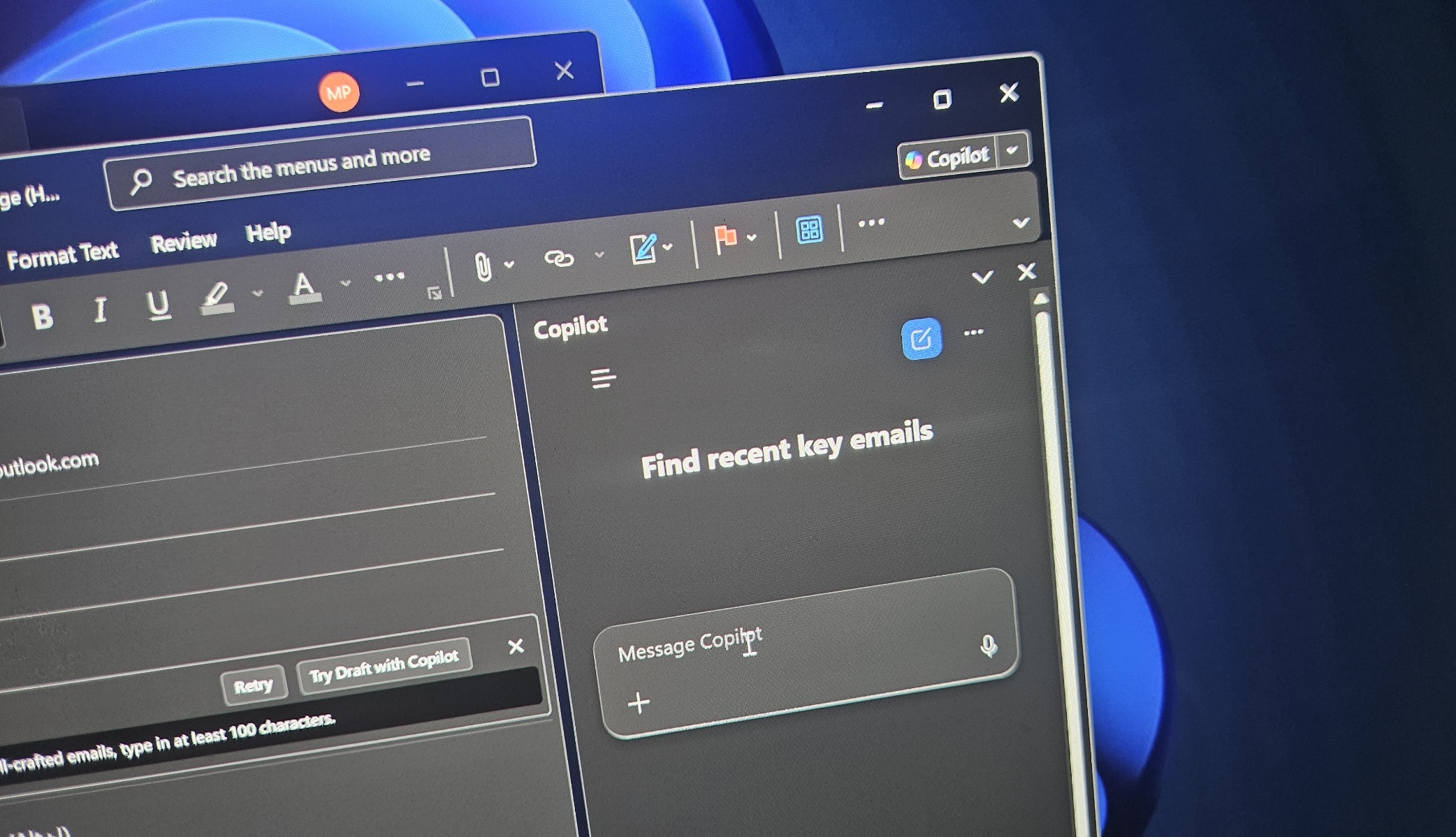
Microsoft recently rolled out a floating Copilot button in Office apps such as Word, PowerPoint, and Excel, although it can be moved back to the ribbon menu. Now, it looks like a similar feature is coming to Classic Outlook, as the company says it wants “Copilot to help you stay in flow” and remain visible at all times.
Microsoft has largely stopped adding new features to Classic Outlook, but it’s quite obvious at this point that Copilot will continue to invade the email client. More recently, Windows Latest spotted that Microsoft is building a Copilot-powered compose experience where AI would help you create new emails and refine existing ones.
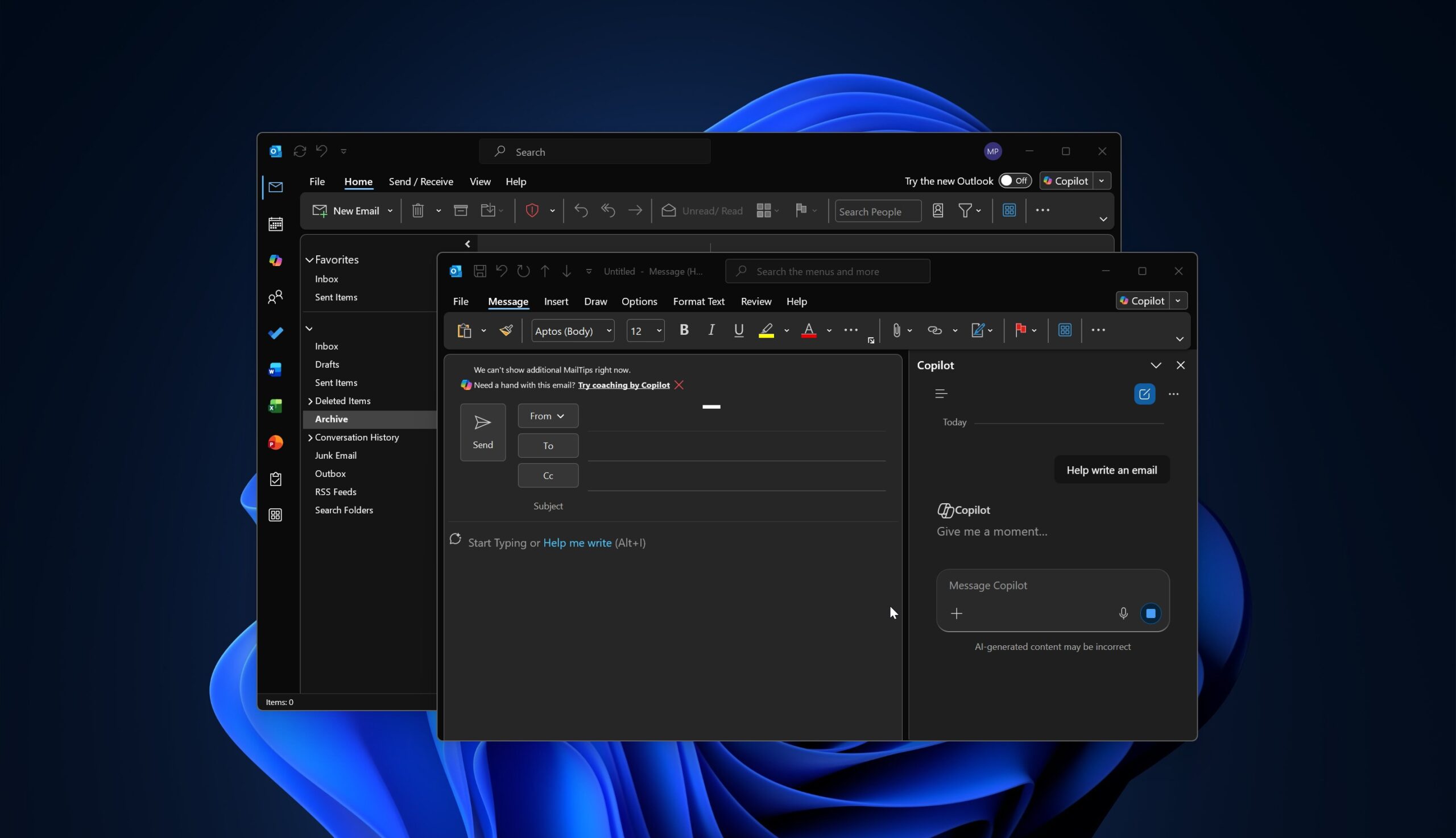
Now, Microsoft says it’ll introduce a new Copilot experience in Outlook Classic, but it’s unclear exactly how it’ll work. The only example we have is from the Office apps, which were recently updated with a floating Copilot button that can be moved to the ribbon menu. That’s why I assume something similar is coming to Outlook Classic.
In Microsoft’s own words, the company wants to create a consistent entry point for Copilot across all Office products, so users develop the muscle memory to click the same spot and open an AI experience that “sits above your work and understands the context beneath it.”
“Rather than scattering touchpoints across the interface, it anchors Copilot as one connected system across Microsoft 365, surfacing relevant actions that help you stay in flow,” Microsoft noted.
“With this release, we are rolling out this new experience, already available across other Outlook endpoints, as well as in Word, Excel, and PowerPoint, to classic Outlook,” the company added.
The “already available” Copilot experience most likely refers to the controversial floating Copilot button in Office apps such as Excel:
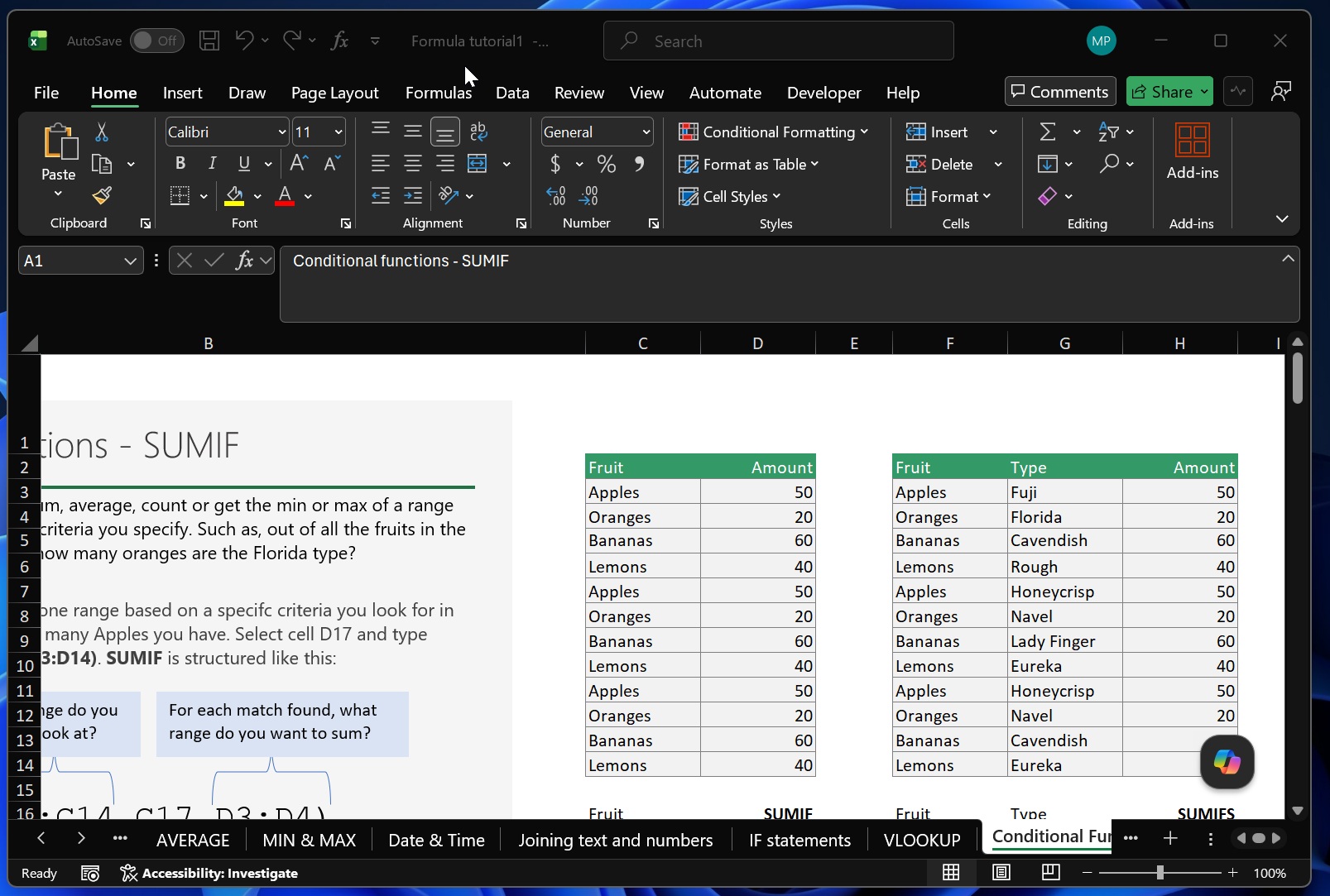
If you don’t like the floating Copilot button, you can move it back to the ribbon menu, but it still remains permanently visible. We’re expecting a similar experience in Outlook Classic because Microsoft’s wording quite clearly implies that the same design is being extended to the email client.
New Outlook already has Copilot all over the place, including in the compose box, and Outlook Classic is heading in the same direction. I wouldn’t be surprised if Copilot becomes even more prominent in the coming weeks, but the good news is that Copilot in Outlook isn’t free.
That means if you downgrade to a Microsoft 365 Standard or Basic subscription without Copilot, you won’t have access to these AI features at all.
What else is coming to Outlook (non-AI)?
Quite literally nothing is coming to Outlook Classic except new Copilot features, but in the case of New Outlook, there are some notable improvements.
Outlook is getting a unified inbox, which will be similar to Gmail, and you’ll be able to manage all your emails in one place. That includes responding, drafting, archiving, flagging, and moving between folders.
Microsoft is also testing built-in Planner support for Outlook and adding a feature that will warn you with a notification if you reply to an old email in a long thread or conversation.
The post Microsft says Outlook Classic is getting always-visible Copilot to “help you stay in flow” appeared first on Windows Latest