Windows 11 KB5121767 released to fix shutdowns, overheating, but you don’t need it unless you own these PCs
Microsoft just dropped Windows 11 KB5121767, an emergency update that replaces the July 2026 cumulative update on PCs. The post Windows 11 KB5121767 released to fix shutdowns, overheating, but you don’t need it unless you own these PCs appeared first on Windows Latest
 admin
admin
Microsoft just dropped Windows 11 KB5121767, an emergency update that replaces the July 2026 cumulative update on PCs affected by unexpected shutdowns, poor performance, overheating, and battery drain. This update shows up as “2026-07 Update (KB5121767) (26200.8894) and is available for everyone, including those unaffected.
Microsoft says the new out-of-band update is recommended only for affected Dell PCs, but Windows Latest observed that it may automatically download and install on other PCs when a specific Windows Update toggle is enabled.
Microsoft hasn’t published the list of affected PCs yet, but Windows Latest has managed to obtain it from our sources.
For those unfamiliar, the original July 2026 Update is KB5101650, and it bumped PCs to Build 26200.8875 on Windows 11 25H2 or Build 26100.8875 on Windows 11 24H2. You can verify whether the update is installed by going to Settings > System > About and checking the build number under Windows specifications:
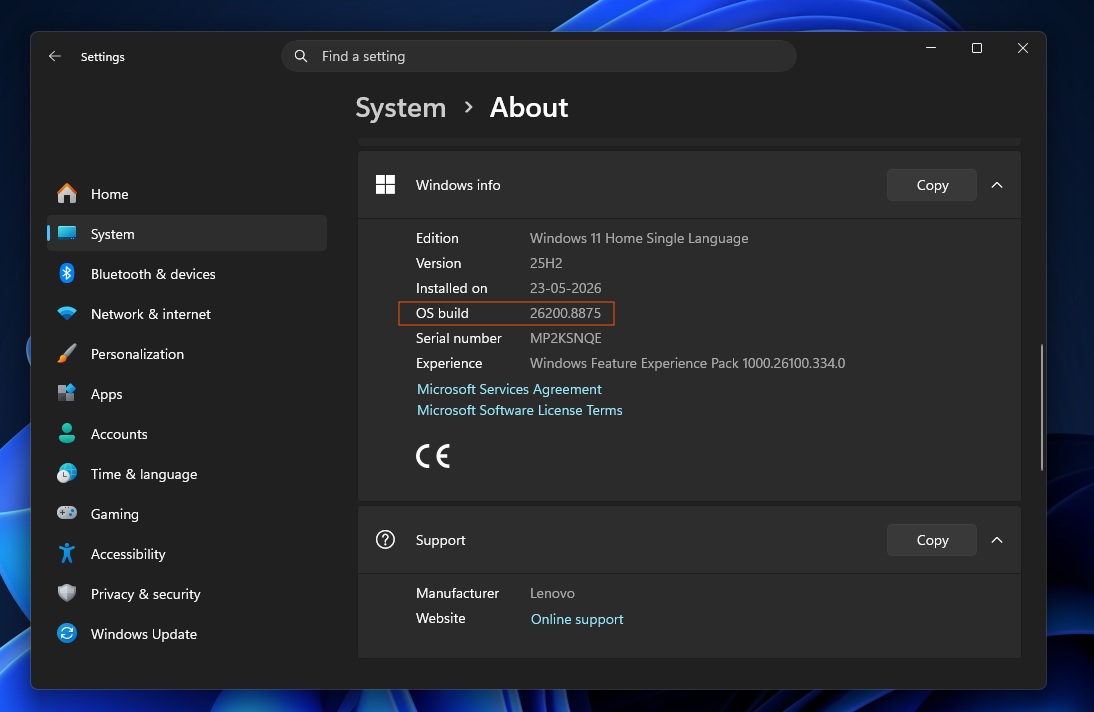
Windows 11 KB5121767 is recommended only for affected Dell PCs
Windows 11 KB5121767 is an emergency out-of-band update, but Microsoft says you do not need to head to Windows Update and repeatedly hit “Check for updates” unless your PC was affected by the July 2026 update’s major performance issues.
“A limited number of Dell devices that were temporarily prevented from receiving the July 2026 security update KB5101650 can now install this OOB update. This OOB update is only recommended for devices affected by this issue,” Microsoft noted in a support document spotted by Windows Latest. “If your device is not affected, no action is required.”
According to our sources, the following Dell PCs are affected and should automatically receive today’s emergency update:
- Dell Pro Max 14 Premium MA14250
- Dell Pro Max 16 Premium MA16250
- Dell Pro Precision 7 14 PW714260
- Dell Pro Precision 7 16 PW716260
- Precision 5470, Precision 5480, Precision 5490, and Precision 5770
- XPS 17 9720 and XPS 17 9730
KB5121767 may automatically install on unaffected PCs
Although Microsoft recommends Windows 11 KB5121767 only for affected devices, Windows Latest observed that the update begins downloading and installing on all PCs where the “Get the latest updates as soon as they’re available” toggle is turned on.
If you have already installed it without experiencing any problems, you do not need to worry. However, this is another reminder to turn off the toggle if you do not fully understand how it works. Some of you may end up unnecessarily installing today’s out-of-band update because of how it is distributed and labeled.
The update appears on the Windows Update page as “2026-07 Update (KB5121767) (26200.8894),” which can be confusing. It’s a generic name without even a specific date, and it does not mention that it’s an out-of-band update or intended only for affected Dell PCs.
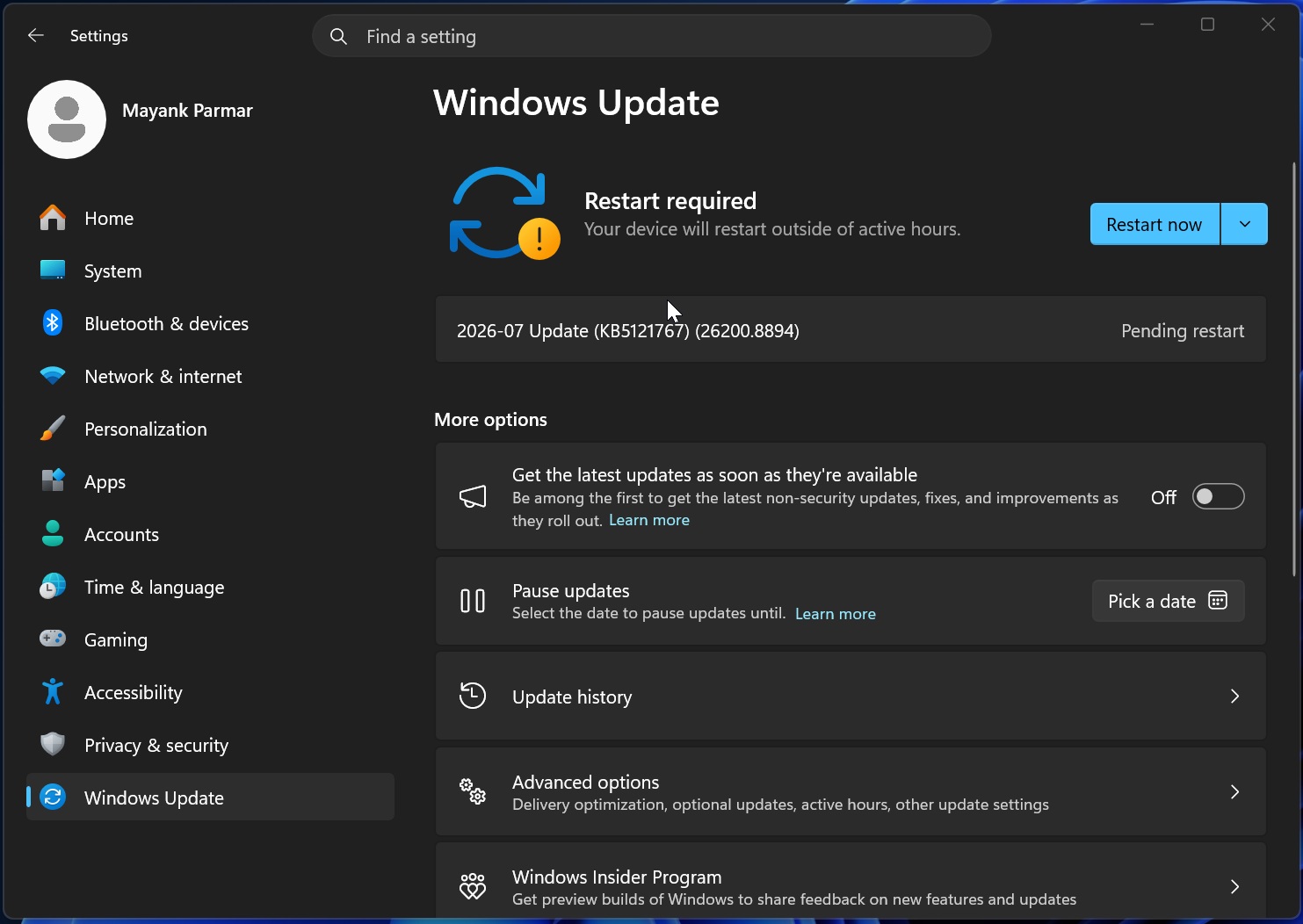
Ironically, Microsoft previously said it had simplified Windows Update titles so they would remain clear and informative, with labels such as “Security Update” or “Preview Update.”
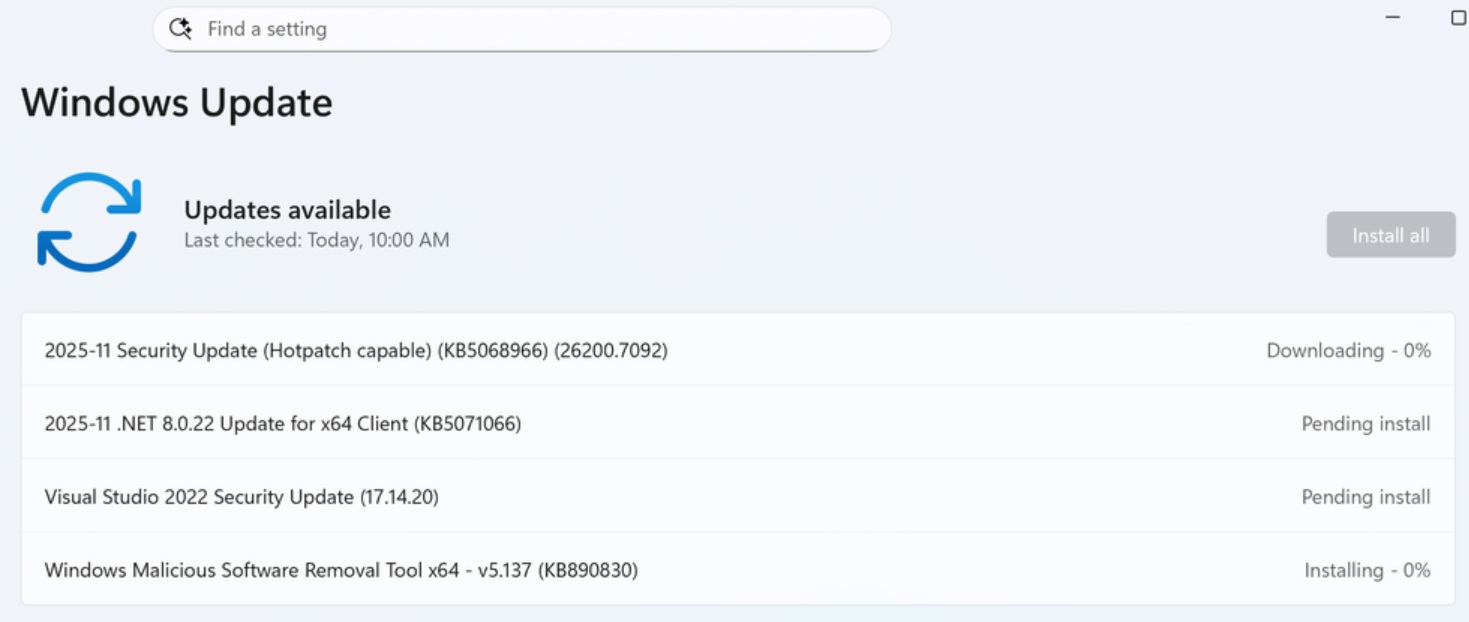
The company hoped that the new titles would help you understand what is being installed, but the generic word “Update” tells you almost nothing. You cannot tell whether Windows 11 KB5121767 is a security update, an optional preview, an emergency fix, or a regular cumulative release without searching for the KB number online.
Also, for the first time in my memory, Microsoft has made it clear that the “Get the latest updates as soon as they’re available” toggle can automatically install anything available through Windows Update.
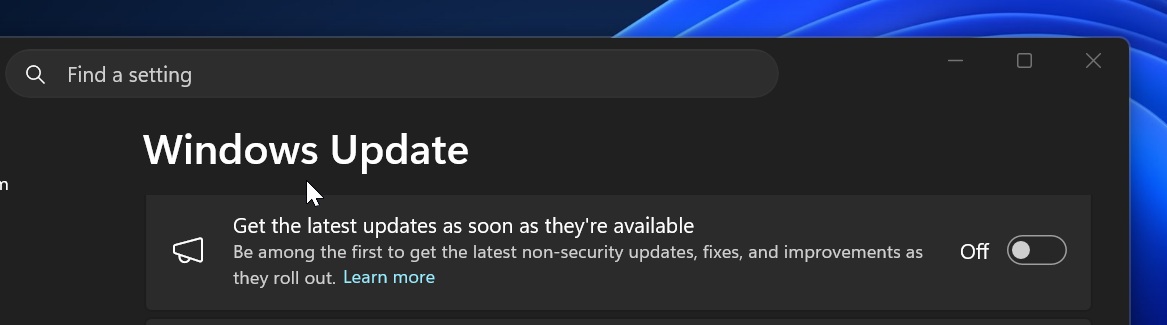
In this case, Windows 11 KB5121767 will automatically download and install, then appear as pending a restart when the toggle is turned on.
If you do not want updates that are not required for your system to install automatically, make sure the toggle is turned off.
“If the toggle is off on your device, you can install the update by going to Settings > Windows Update and selecting Download & Install,” Microsoft explained.
Turning off the toggle gives you greater control over Windows Update. Most people apparently turn it on in the hope of getting new features locked behind Microsoft’s staged rollouts sooner, but it can also result in updates such as Windows 11 KB5121767 installing automatically.
Why Microsoft blocked Windows 11 KB5101650 and replaced it with KB5121767
On July 14, Microsoft rolled out the July 2026 Patch Tuesday update, KB5101650, with more than 570 security fixes, making it one of the largest Windows updates to date.
Microsoft says you can expect similarly large updates in the coming months as it fights the growing threat of AI-assisted attacks. The company has also recommended that everyone install security updates as soon as possible.
Unfortunately, Windows 11 KB5101650 caused major problems on some PCs with an Intel driver called “Intel Innovation Platform Framework Processor Participant.”
Early findings show that the issue specifically affected Dell PCs. Microsoft hasn’t officially published a list of affected hardware yet, but you can find the internally circulated list above.
When Windows 11 KB5101650 is installed on an affected PC, you may experience severe performance issues, a Black Screen of Death, boot problems, and even unexpected shutdowns. We’ve also come across reports of battery drain and increased overheating because the update broke power management features that rely on Intel’s driver.
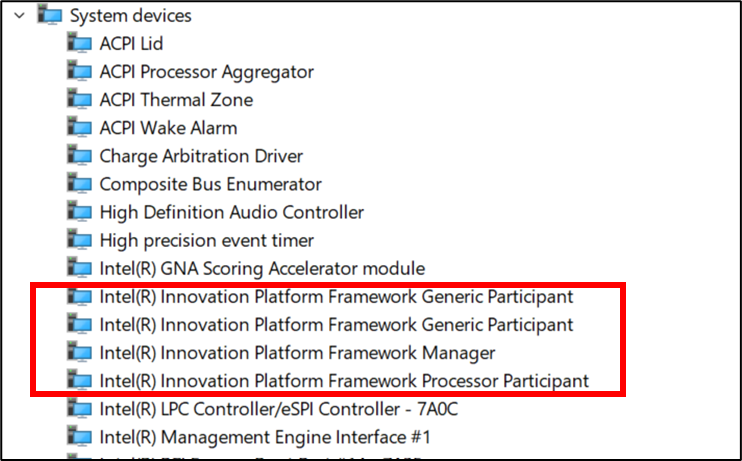
According to Dell’s support documents, Intel’s Innovation Platform Framework Processor Participant driver is mostly installed on newer PCs and is used as part of the system’s thermal management solution.
It is also responsible for managing fan noise, overheating, power, and performance-related features. The July 2026 update broke this integration, leaving affected PCs struggling to function normally.

The problems surfaced because recent Windows updates introduced a new “Windows USB-C Connection Manager interface. Unfortunately, this new interface, which was supposed to improve USB performance, is not compatible with Intel’s driver required for power management. That also explains why affected devices could overheat or shut down unexpectedly.
Microsoft eventually blocked Windows 11 KB5101650 from reaching affected PCs and is now replacing it with Windows 11 KB5121767.
Affected Dell PCs should install KB5121767 when it is offered, but Microsoft says everyone else can safely skip it.
The post Windows 11 KB5121767 released to fix shutdowns, overheating, but you don’t need it unless you own these PCs appeared first on Windows Latest