Dell PCs are shutting down after Windows 11’s July update, Microsoft admits and blocks it
indows 11 KB5101650 update is causing unexpected shutdowns, poor performance, increased heat, and battery drain on certain Dell PCs. The post Dell PCs are shutting down after Windows 11’s July update, Microsoft admits and blocks it appeared first on Windows Latest
 admin
admin
Last week, Microsoft warned against delaying updates due to new AI-assisted threats. Now, Microsoft is blocking Windows 11’s July 2026 update on some Dell PCs. The company has confirmed that today’s KB5101650 update is causing unexpected shutdowns, poor performance, increased heat, and battery drain on certain Dell PCs.
“[Affected] devices can potentially experience unexpected shutdowns, poor performance, increased heat, and battery drain,” Microsoft warns against installing Windows 11 KB5101650 on affected PCs. However, Microsoft hasn’t published a list of affected Dell PCs, and it only says certain Intel-based PCs are running into the problem.
KB5101650 is a mandatory security update rolling out as part of the July 2026 Patch Tuesday cycle, and it is set to install automatically for all the right reasons, particularly the long list of major security vulnerabilities it addresses.
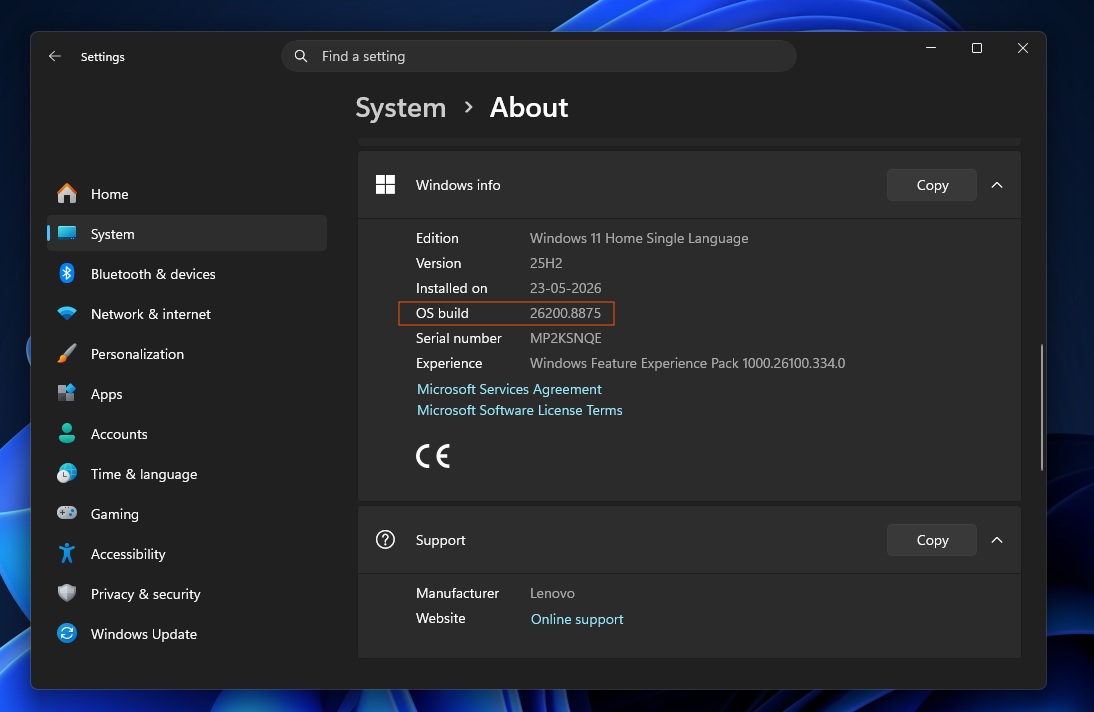
Today’s Windows update is critical, as it patches 570 security flaws and adds recovery features such as Point-in-time restore. Unfortunately, it’s not bug-free for everyone, particularly those who own a Dell PC.
In an updated document first spotted by Windows Latest, Microsoft confirmed that it is aware of a critical compatibility issue affecting Dell PCs. As a result, the update is no longer being offered to incompatible Dell devices.
Microsoft blocks Windows 11 KB5101650 (July 2026 Update) on affected Dell PCs
Microsoft says it worked with Dell to identify the problem in the July 2026 update, which appears to originate from Windows 11’s June 2026 optional update (KB5095093).
Optional updates aren’t supposed to install automatically, but some people install them out of curiosity, and the last one ended up causing major issues, which helped Microsoft block the July update.
On PCs with Windows 11 KB5095093 (June optional update), Microsoft found that Device Manager could show a yellow alert, or exclamation point, for the Intel Innovation Platform Framework Processor Participant driver.
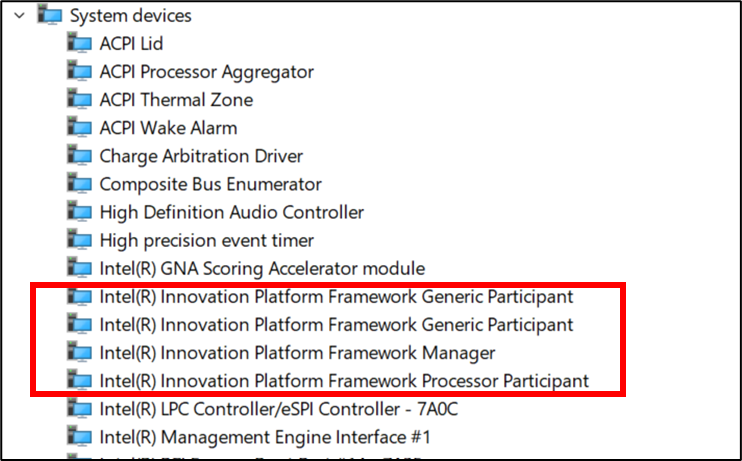
It is worth noting that this driver isn’t exclusive to Dell PCs. It is a system-level component that manages Intel processor power and thermals.
OEMs, including Dell, have support documents explaining what the Intel Innovation Platform Framework Processor Participant driver does and why it is installed on your PC:
Intel Dynamic Tuning is a power and thermal management solution that is used to resolve fan noise, overheating, and performance-related issues of the system. Intel CST accurately detects human presence in front of the system using features like Wake on Approach and Walk away Lock – Dell.
In short, you need this driver if your device ships with it, and many Dell PCs rely on it for power management. If it stops working, the system may fail to manage power, processor performance, and cooling correctly. This can lead to overheating, severe performance issues, battery drain, and unexpected shutdowns.

While the problem was originally spotted in the June optional update, changes included in these so-called “optional” releases almost always roll into the following Patch Tuesday release. That’s why a strange bug first discovered last month is suddenly affecting far more PCs today.
KB5095093 was optional in June, but its changes are now bundled into the mandatory July update (KB5101650), so the same Intel driver conflict can reach systems that never installed the preview update themselves.
Why Windows 11 July update is causing problems on some Dell PCs
Intel’s Innovation driver has been around for years, and the affected Dell PCs are not limited to models released recently. So that raises the question. How did an old driver on perfectly healthy PCs suddenly start tanking performance after Windows 11’s recent updates?
The answer appears to be a recent change introduced in the Windows 11 June 2026 optional update.
With the June 2026 optional update, Microsoft added a new Windows USB-C Connection Manager interface, which was supposed to improve USB performance as part of the company’s broader plans to improve Windows.
Unfortunately, the change did not work well with certain Dell PCs using the Intel driver, and it’s now included in the July 2026 Update, as Microsoft chose to still ship the new feature.
We do not have a list of affected PCs because neither Microsoft nor Dell has shared one, which is quite unusual. In the past, when a specific model ran into issues, Microsoft typically listed the affected devices, but that is not happening today.
This suggests the list of affected PCs could be quite long and may explain why Microsoft chose to block the update on incompatible Dell devices.
Microsoft has quickly blocked the update from reaching affected PCs
Based on our tests and discussions with IT admins, I do not believe the July 2026 security update reached affected PCs, as Microsoft appears to have blocked it on incompatible devices before the update began rolling out.
“To mitigate this issue, the July 14, 2026, Windows security update for Windows 11, version 25H2 and Windows 11, version 24H2 (KB5101650) will not be offered to affected devices while Microsoft works with partners to resolve this issue,” Microsoft noted. “Microsoft plans to release a resolution for affected devices in the coming days.”
We’re not aware of any other bug affecting this year’s biggest Windows 11 update, and Microsoft still recommends installing it as soon as possible on PCs where it is offered.
The post Dell PCs are shutting down after Windows 11’s July update, Microsoft admits and blocks it appeared first on Windows Latest